The Configure Copilots page in NITRO Helpdesk is designed to manage which Knowledge Base (KB) articles are available to Copilots (AI assistants) for generating responses and suggestions. This ensures that Copilots use only relevant and approved content when assisting users.
Go to Administration in top link bar -> Configure Copilots in left menu
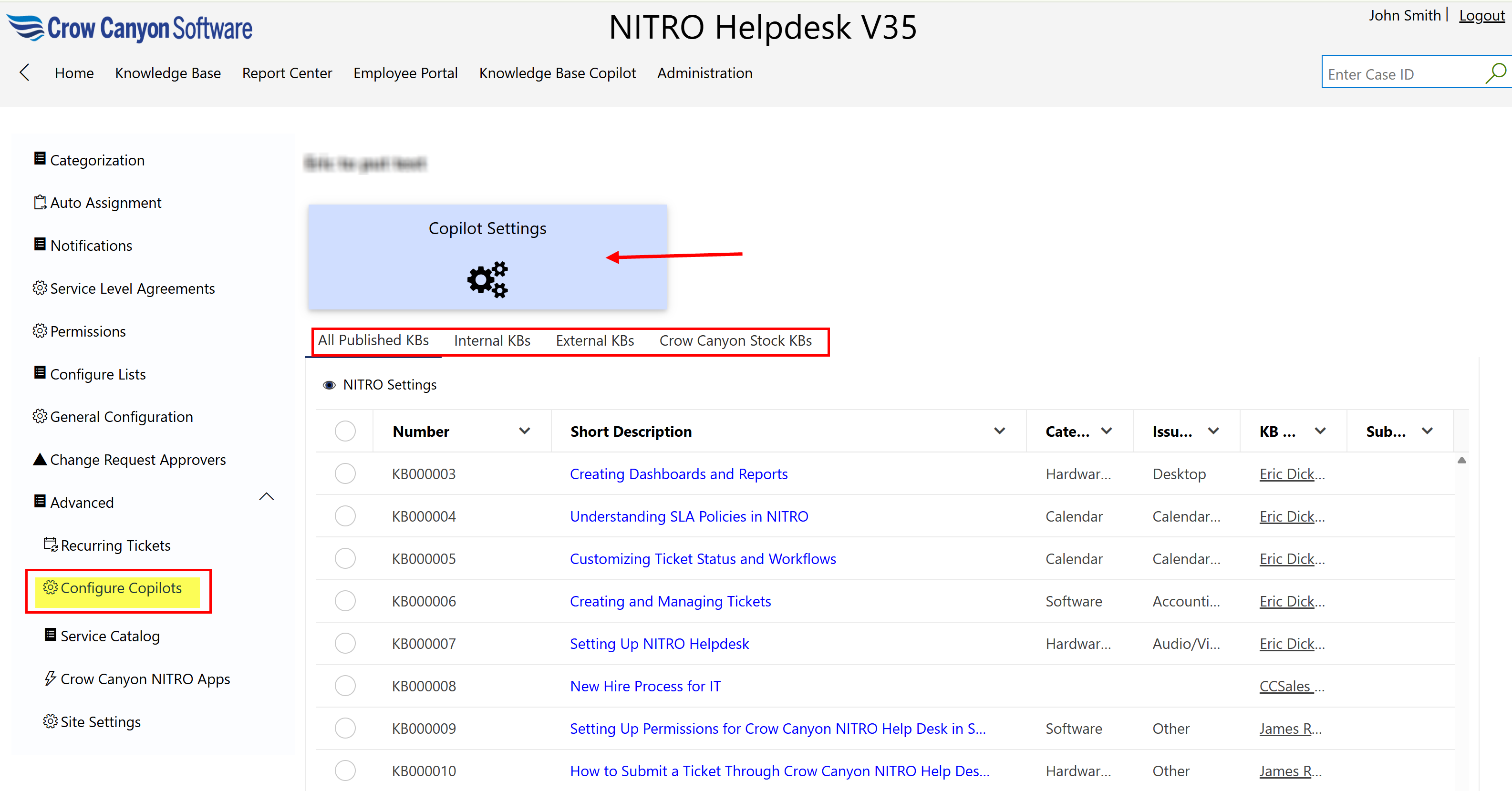
Click ‘Copilot Settings’ tile to see settings as shown below:
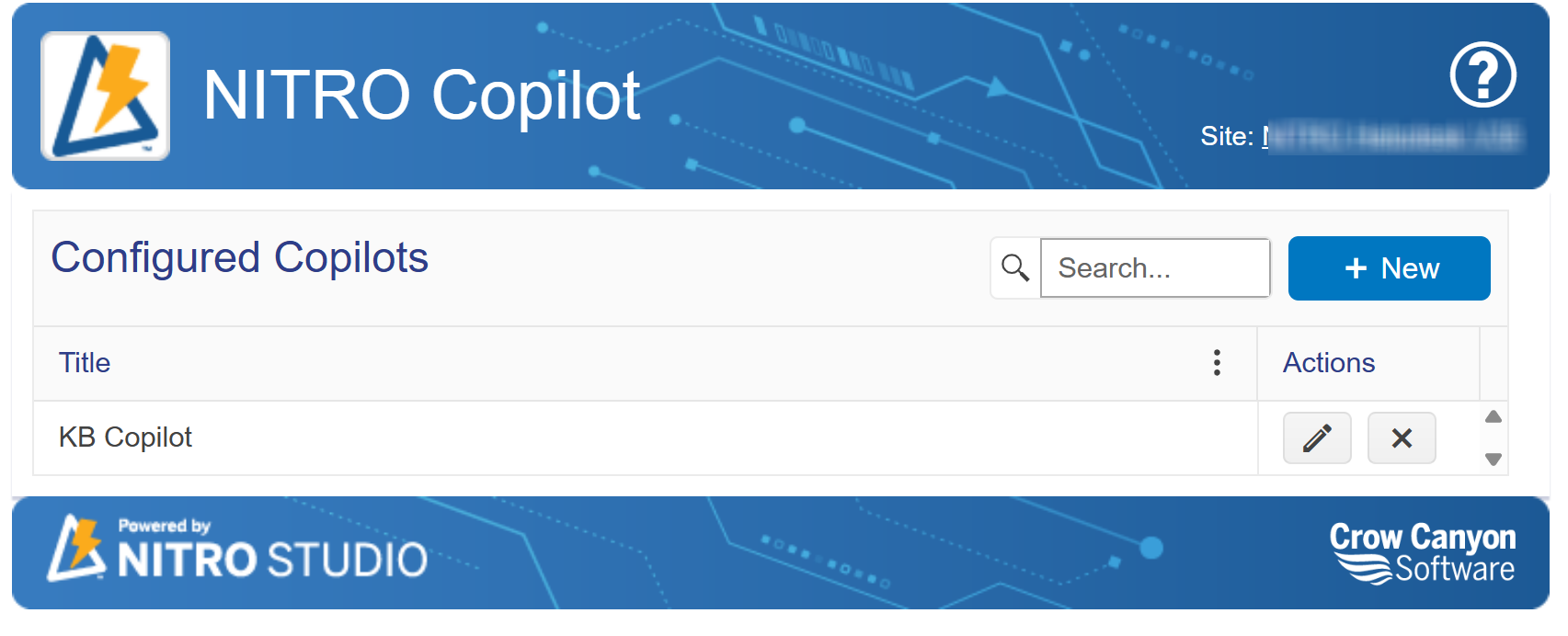
For detailed information on Copilot settings and configuration, please refer to the article below:
Knowledge Base Copilot Configuration in NITRO Studio - Crow Canyon Software Support
Article Types Displayed on the Page
At the top of the page, there are tabs that allow administrators to filter and manage the types of KB articles Copilot can access:
1.All Published KBs
oIncludes all KB articles that have been published, regardless of source (internal, external, or Crow Canyon stock).
oThis view is useful for quickly reviewing the full set of content available to Copilots.
2.Internal KBs
oArticles created and maintained within your organization.
oTypically contain procedures, troubleshooting steps, or documentation specific to your internal systems and workflows.
oUsed for internal staff support.
3.External KBs
oArticles meant for external users or customers.
oThese may include FAQs, setup guides, or customer support documentation intended to be publicly accessible or user-facing.
4.Crow Canyon Stock KBs
oPredefined articles provided by Crow Canyon Software as part of the system.
oThese often include best practices, setup instructions, and feature explanations for NITRO Helpdesk and other Crow Canyon apps.
oCan be used as-is or customized to fit organizational needs.