To view all open problems, click ‘Open Problems’ tile in Problem-Manager- Dashboard page. It will navigate you to the ‘Open Problems’ view of ‘All Problems’ page
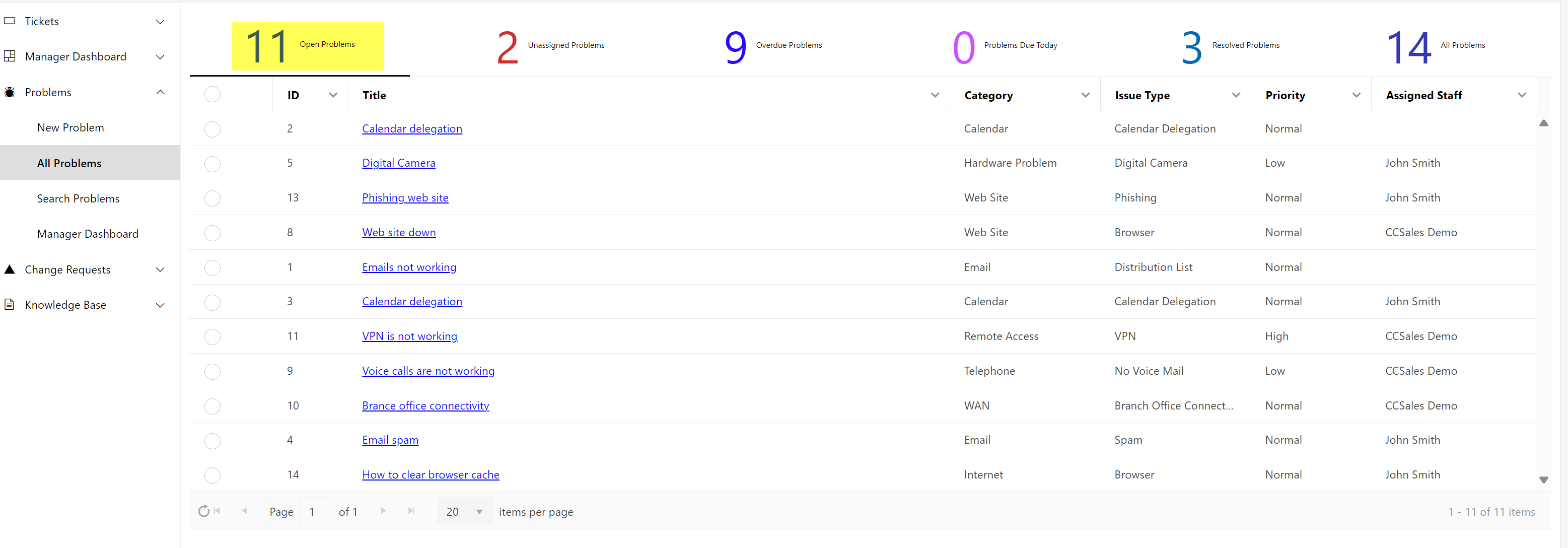
Open a Problem by clicking on it.
Manager can perform ‘Link Tickets to Problem’ action on ‘Problem’ by opening the problem.
•Link Tickets to Problem: Manager can link open Tickets to problems that have been already identified. This will help us in grouping of similar Tickets under the common problem.
Custom Actions available for the Manager to perform on a Problem are shown below:
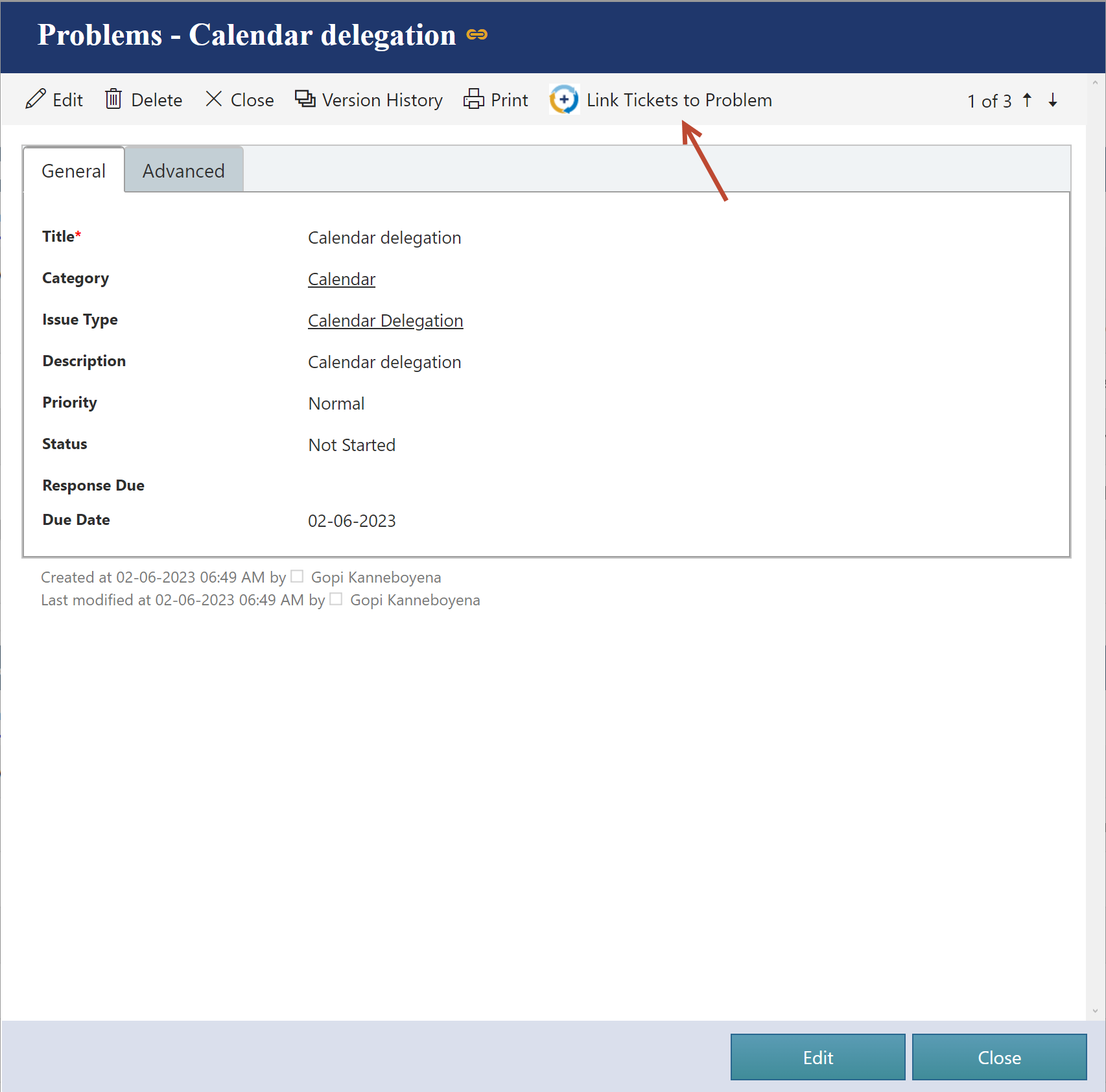
Refer below link for more detail on Link Tickets to Problem Custom action
https://www.dropbox.com/scl/fi/lkdmsxf3ig5817v81n8r3/Link-Tickets-to-Problem-rev-1.docx?rlkey=xg2yzxukeu0qj3eshlk3kzo1o&dl=0
•Link Tickets to Problem:
-This custom action is configured on ‘Problems’ list and will be invoked on the Problem with which Tickets needs to be linked.
-Custom Action is only visible in the Display form of the Problem. It won’t show up in the Edit form of the Problem
-When action is invoked, it will prompt the user to select the ‘Open Tickets’.
-Select single or multiple Tickets to link with Problem.
-Selected Tickets will be linked to Problem on which custom action is invoked.