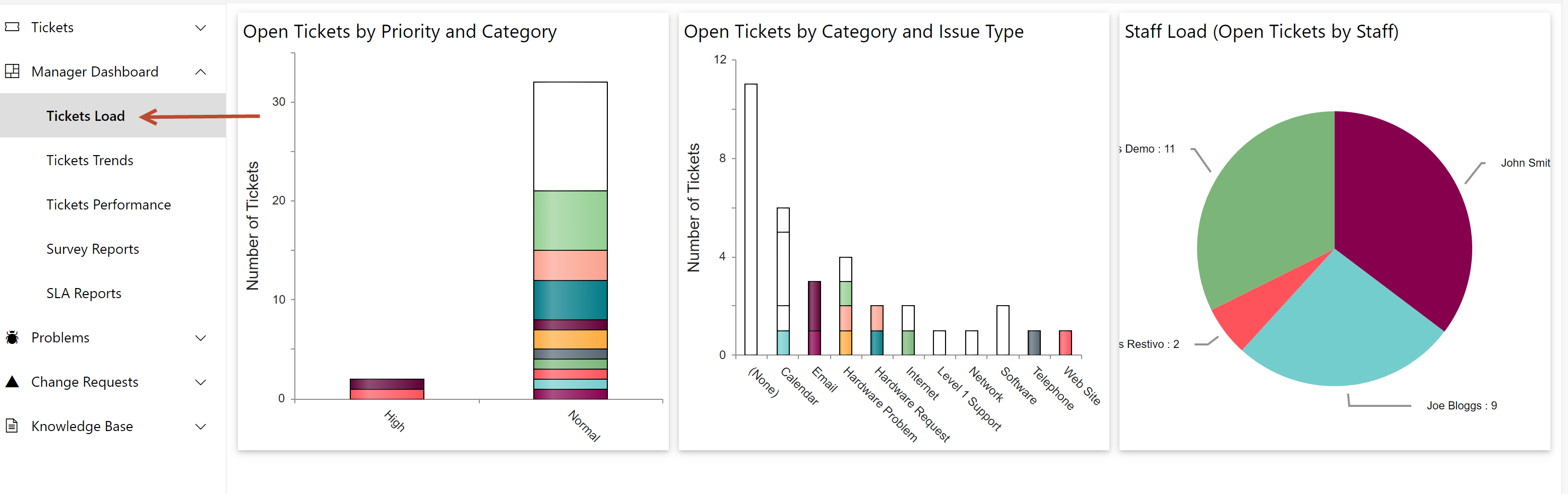
Manager Dashboard can also access additional pages showing detailed reports
In Home page go to left side Quick Launch -> expand Manager Dashboard -> this will show below pages where Reports are configured for different Ticket states.
1.Tickets Load
2.Tickets Trends
3.Tickets Performance
4.Survey Reports
5.SLA Reports
Tickets Load: This page shows the Manager how Tickets are distributed by different parameters as listed below
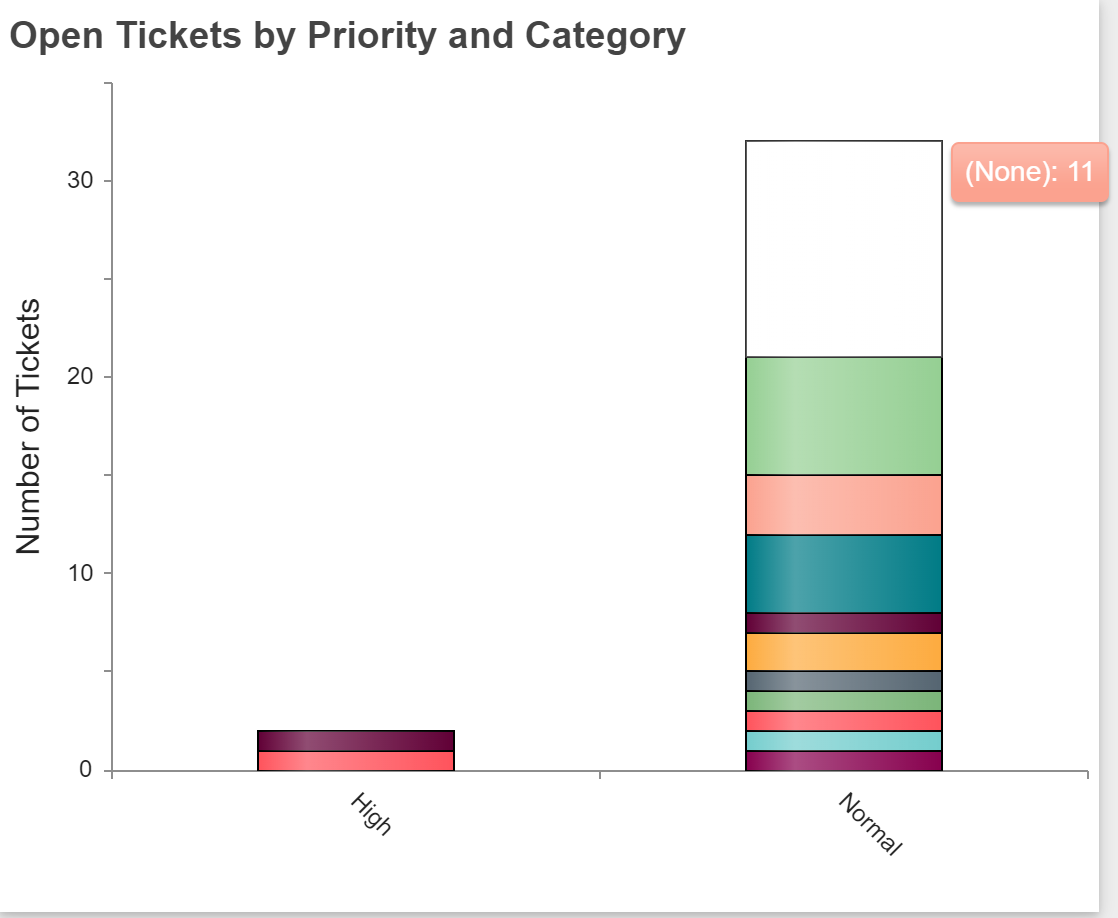
-Open Tickets by Priority and Category: This report shows all open Tickets based on priority and category. As shown in report, there are 1 software Ticket and 1 Hardware Request Ticket of high priority.
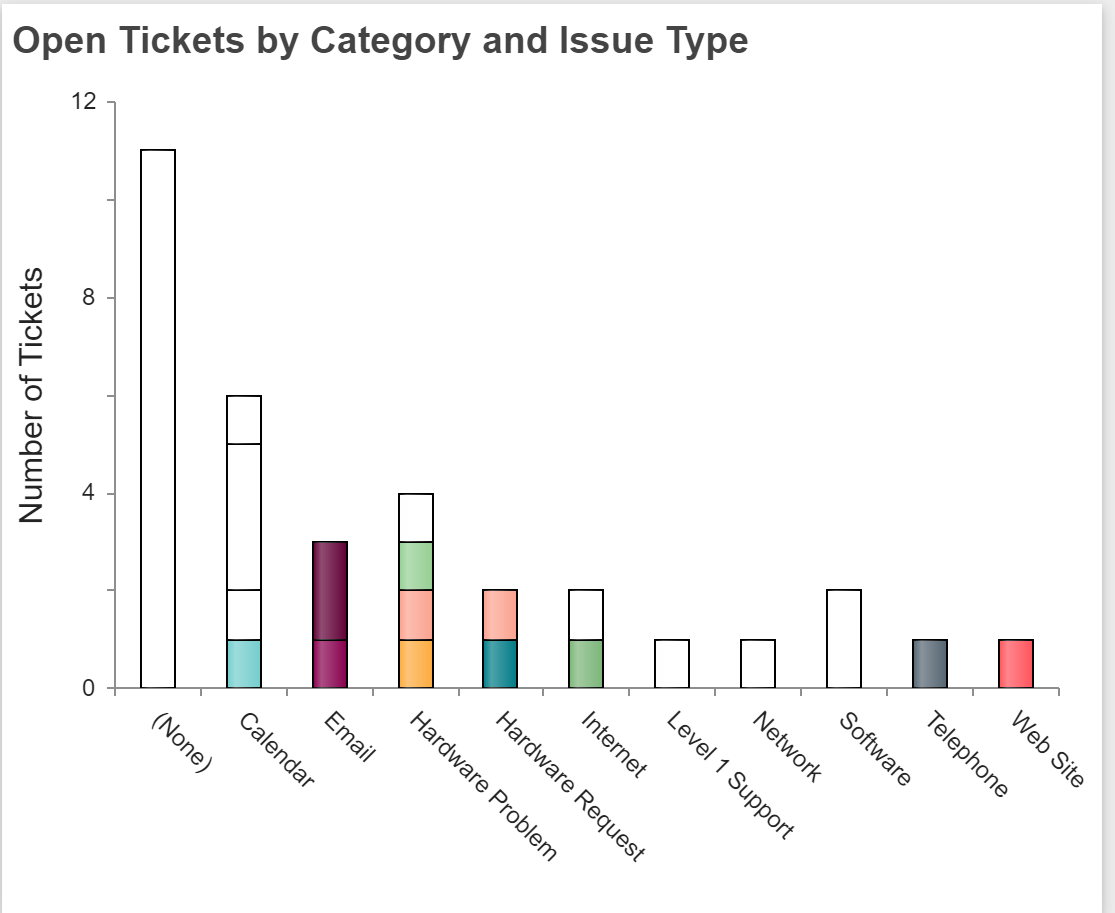
-Open Tickets by Category and Issue Type: This report shows all open Tickets based on category and issue type. As shown in report, ‘Calendar’ category has 1 ‘Reminder’ issue type Ticket, 1 ‘Can’t book room’ issue type Ticket, 3 ‘Calendar Delegation’ issue type Ticket and 1 Ticket without issue type.
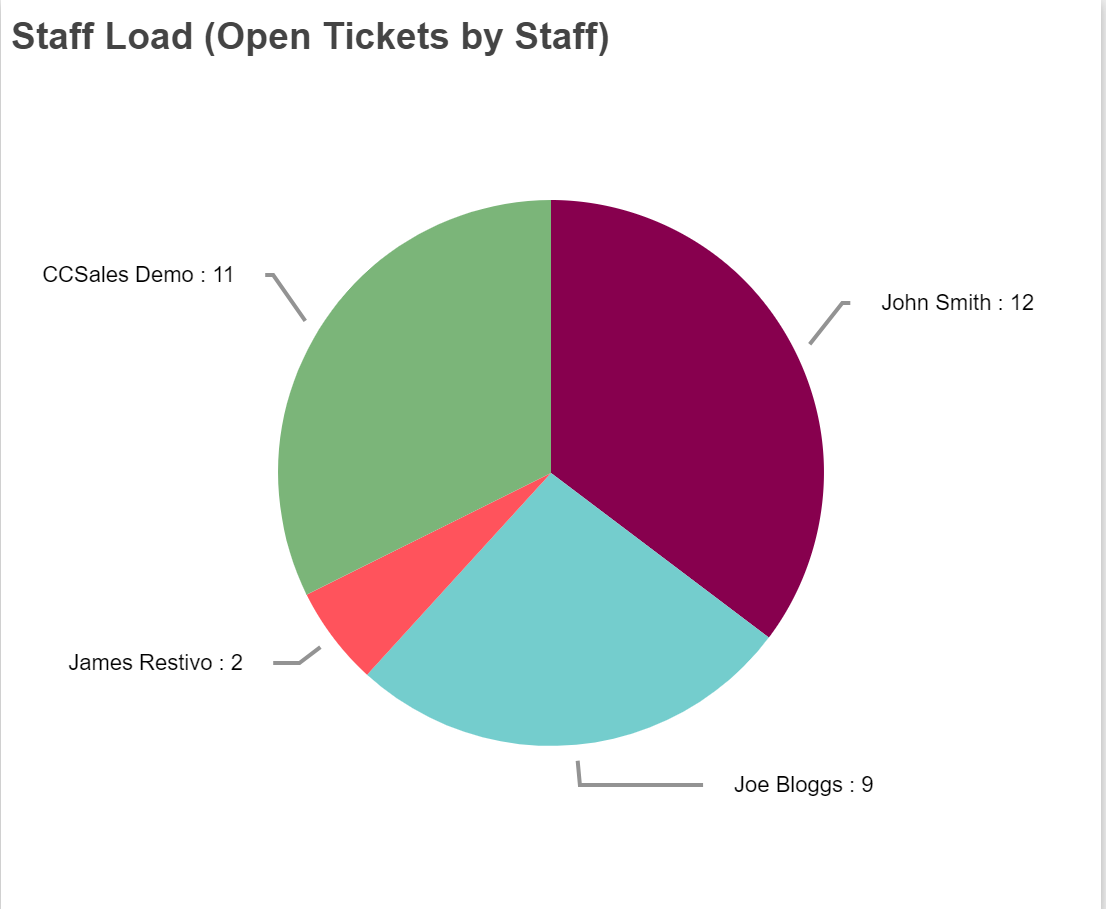
-Staff Load (Open Tickets by Staff): This report shows all open Tickets of each assigned staff. As shown in report, John Smith has 5 open Tickets, Joe Bloggs has 3 open Tickets.
Tickets Trends: This page shows the Manager various trends regarding Tickets as listed below
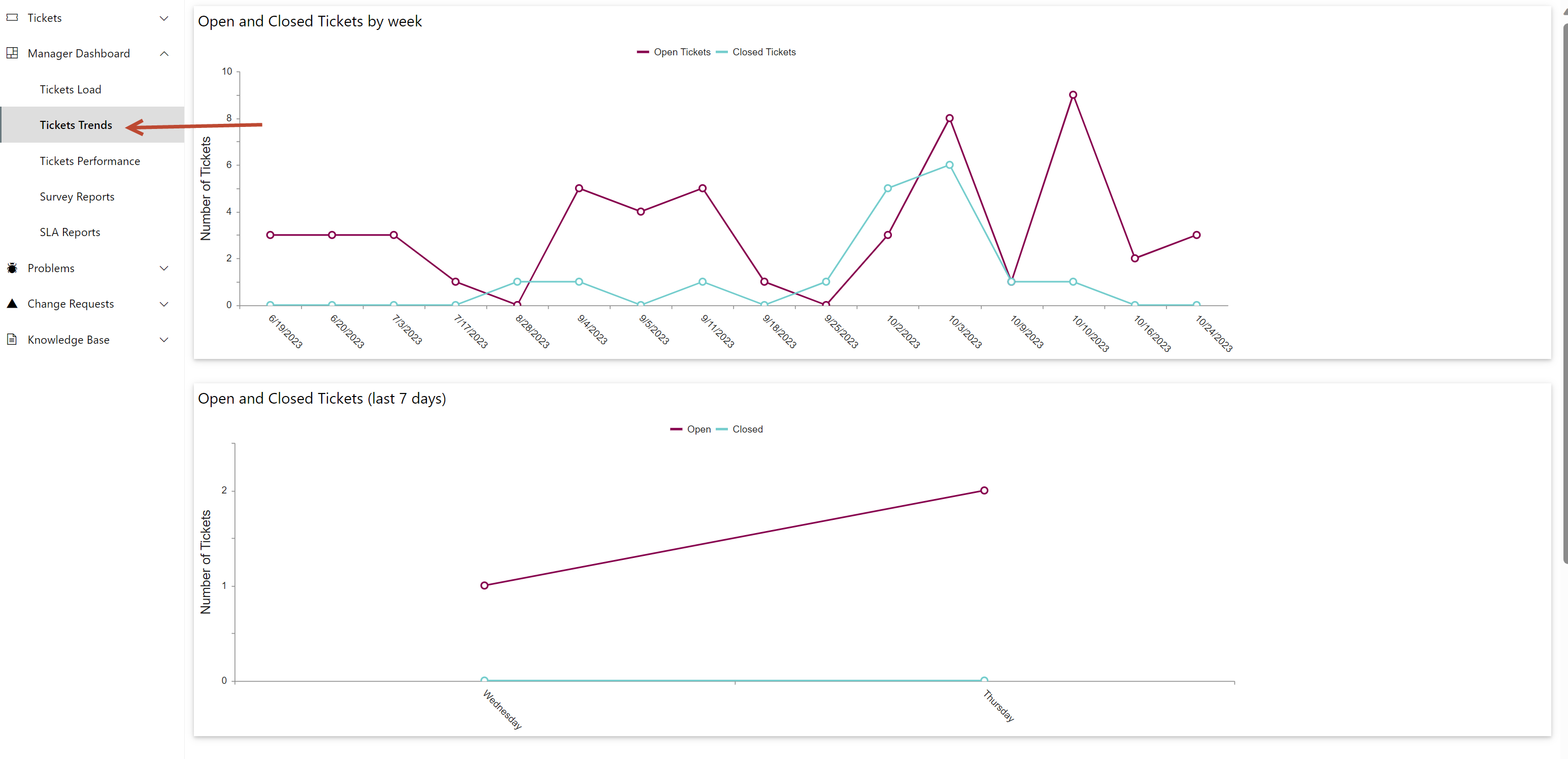
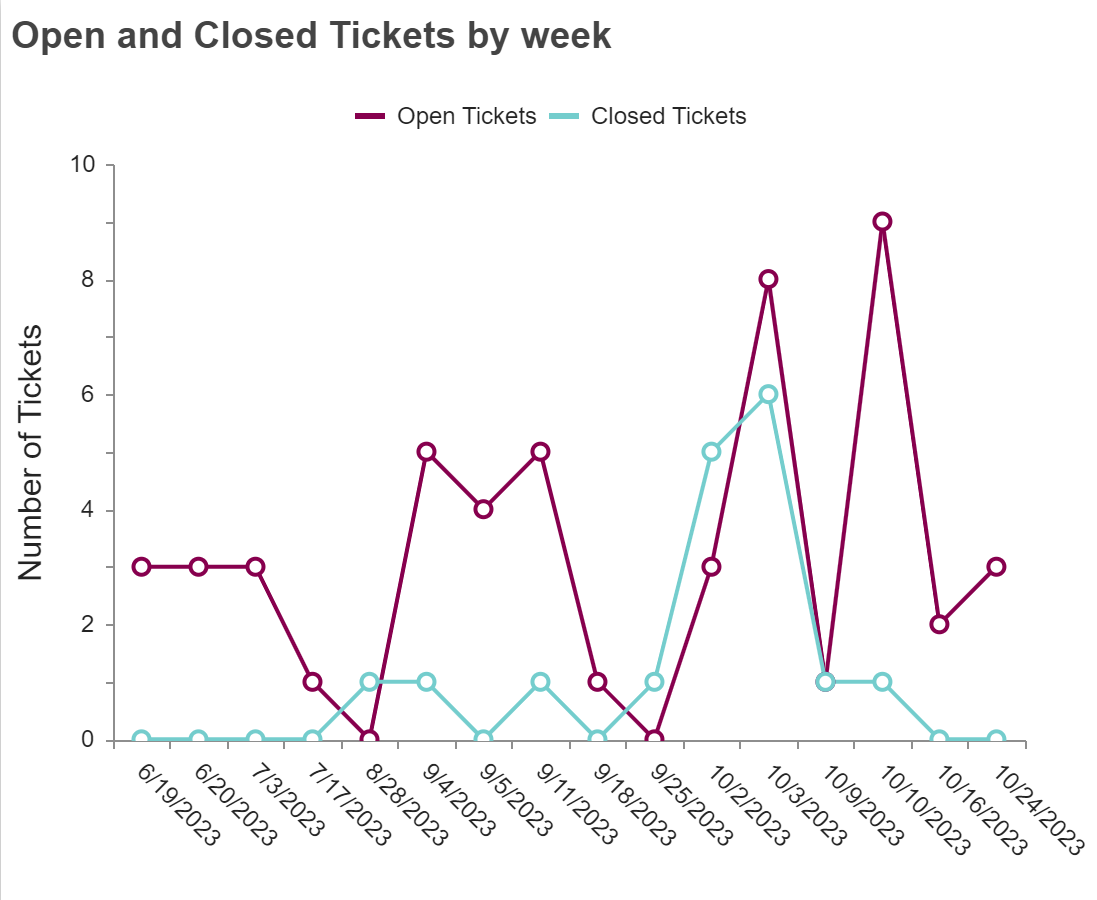
•Open and Closed Tickets by week: This report shows all open Tickets and Closed Tickets by week.
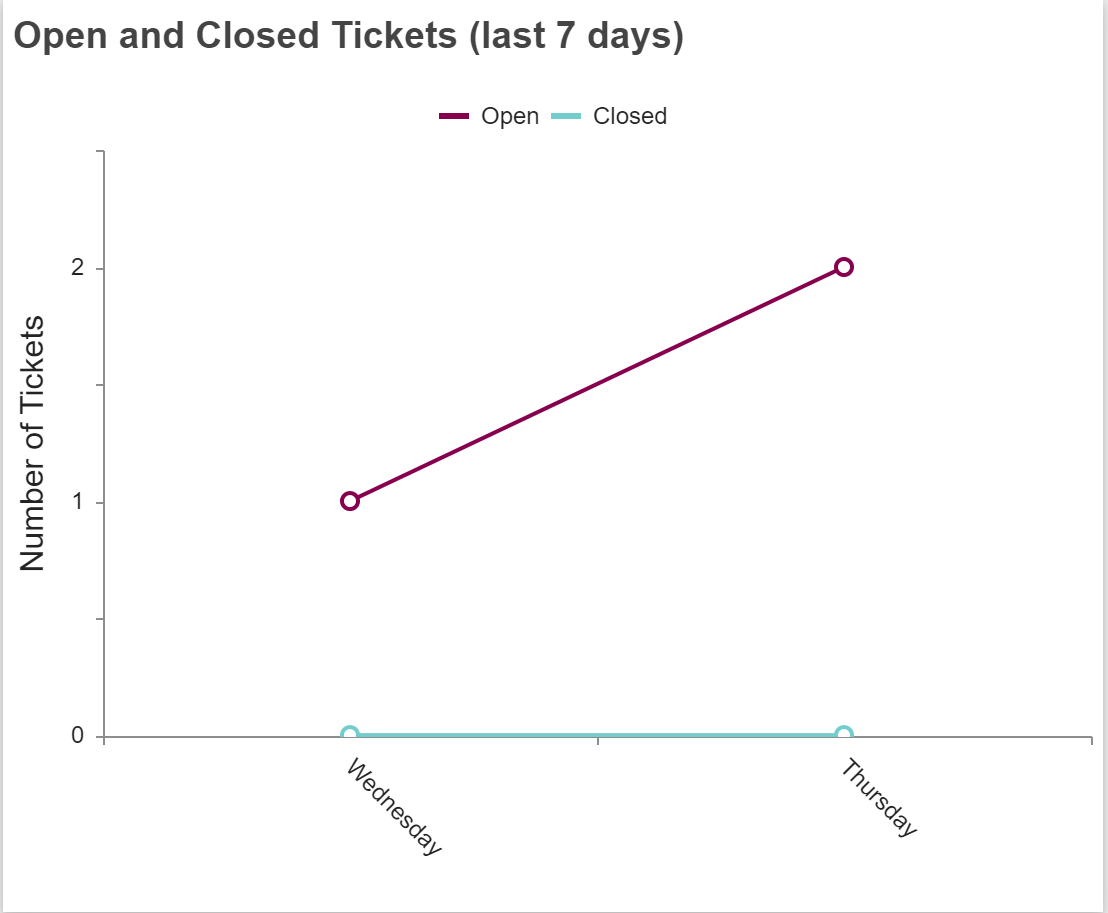
•Open and Closed Tickets (last 7 days): This report shows all open and closed Tickets from last 7 days. As shown in report, open ticket in last 7 days is 1 and closed Ticket in last 7 days is 0.
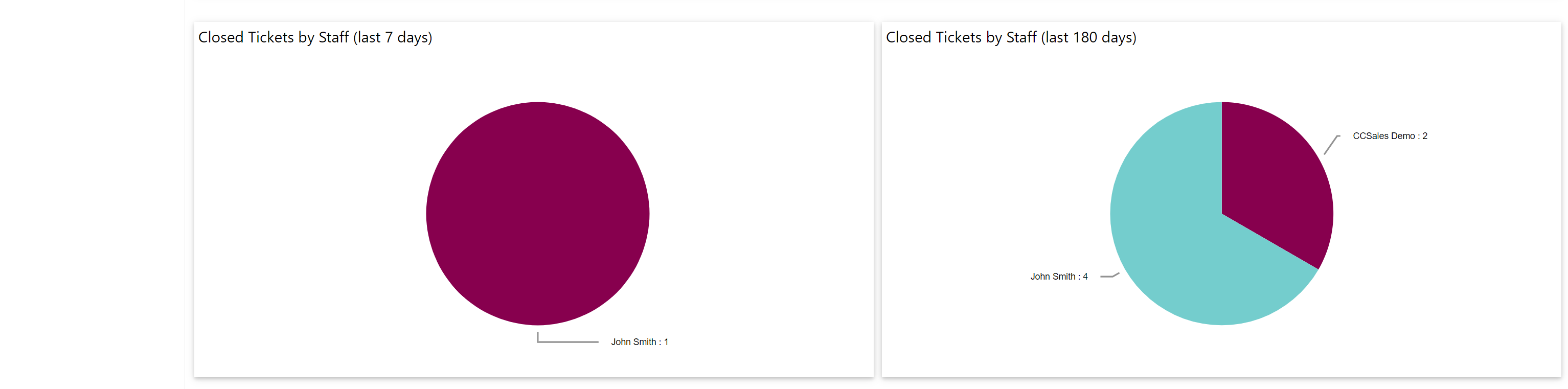
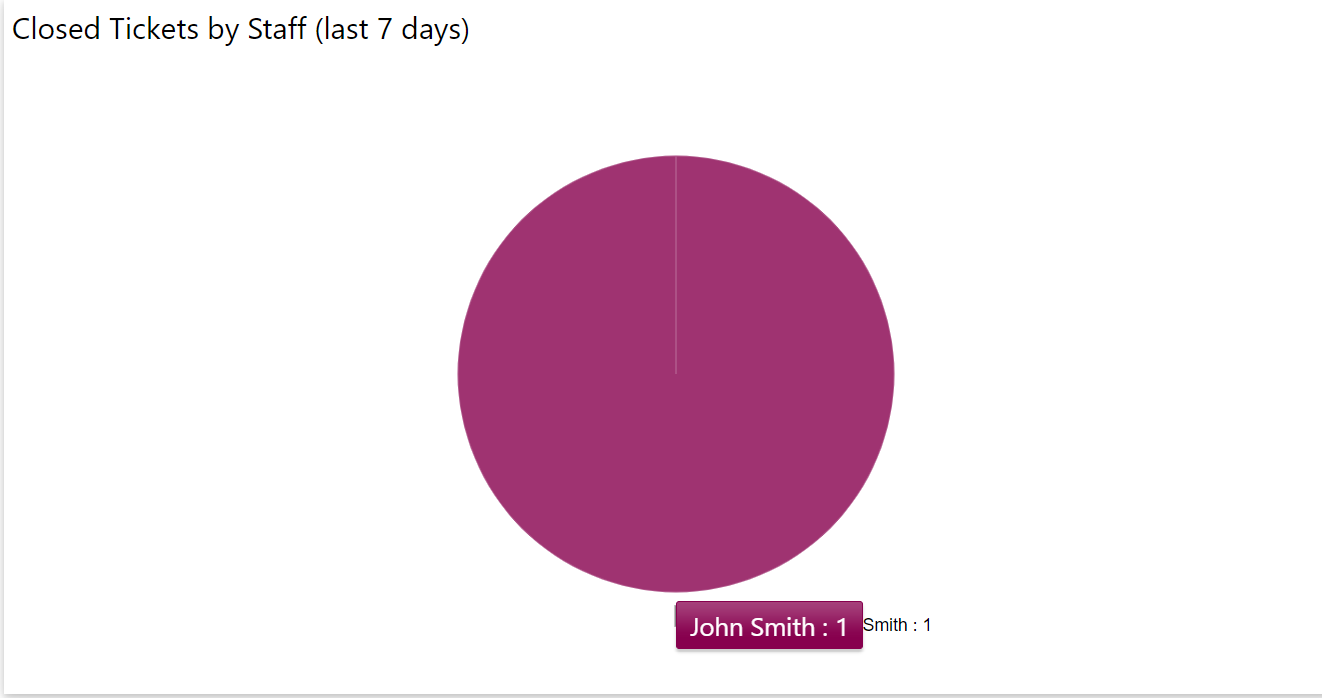
-Closed Tickets by Staff (last 7 days): This report will show all closed Tickets of each assigned staff in last 7 days. As shown in report, 1 Ticket is closed by John Smith in last 7 days.
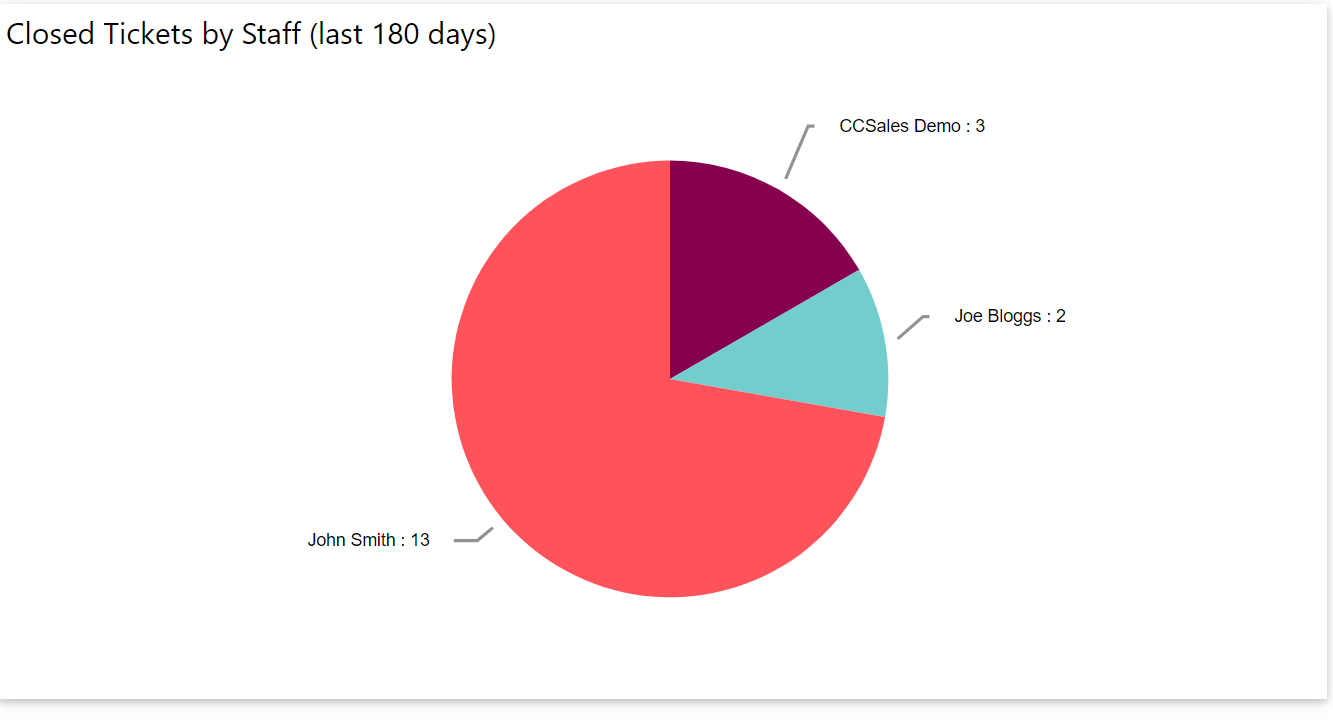
-Closed Tickets by Staff (last 180 days): This report will show all closed Tickets of each assigned staff in last 180 days. As shown in report, 13 Tickets are closed by John Smith, 2 Tickets are closed by Joe Bloggs and 3 Tickets closed by CCSales Demo in last 180 days.
Tickets Performance: This page shows the Manager, performance of staff on Tickets based on various parameters as listed below
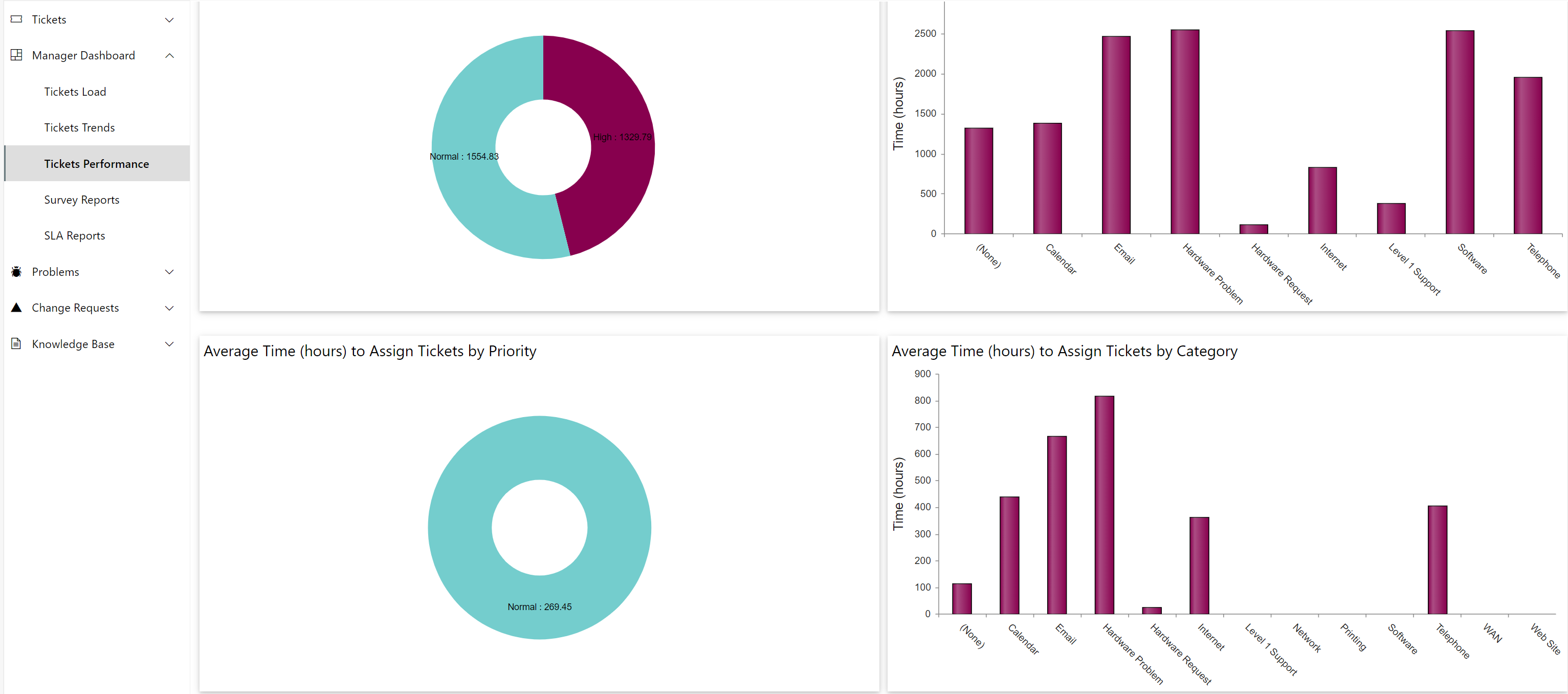
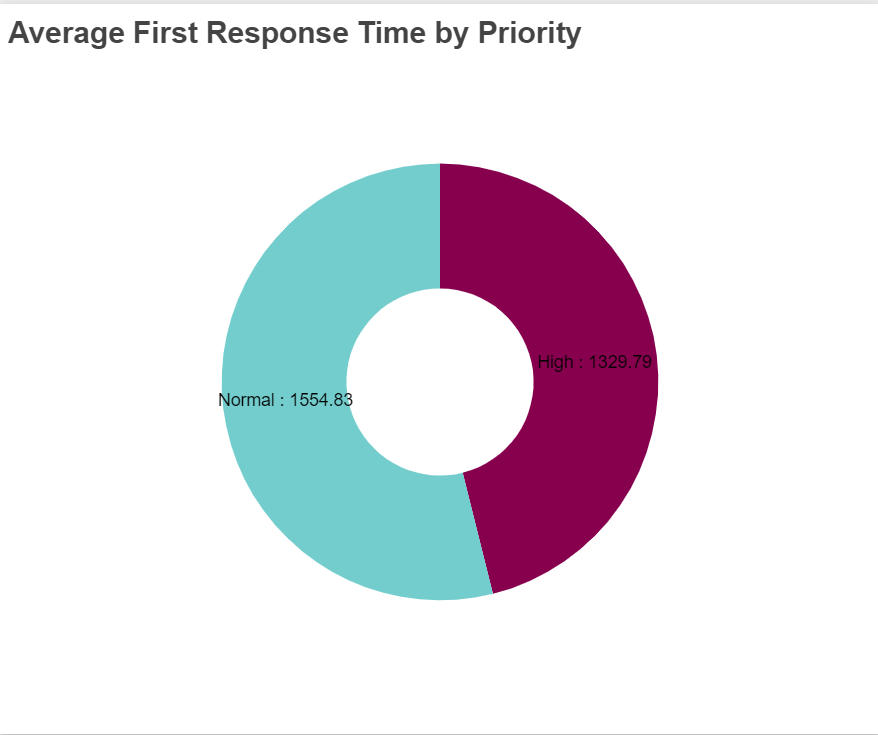
-Average First Response Time (hours) by Priority: This report shows average time taken for first response of Ticket based on priority. As shown in report, average first response time for high priority Ticket is 1329.79 and average first response time for normal priority Ticket is 1554.83.
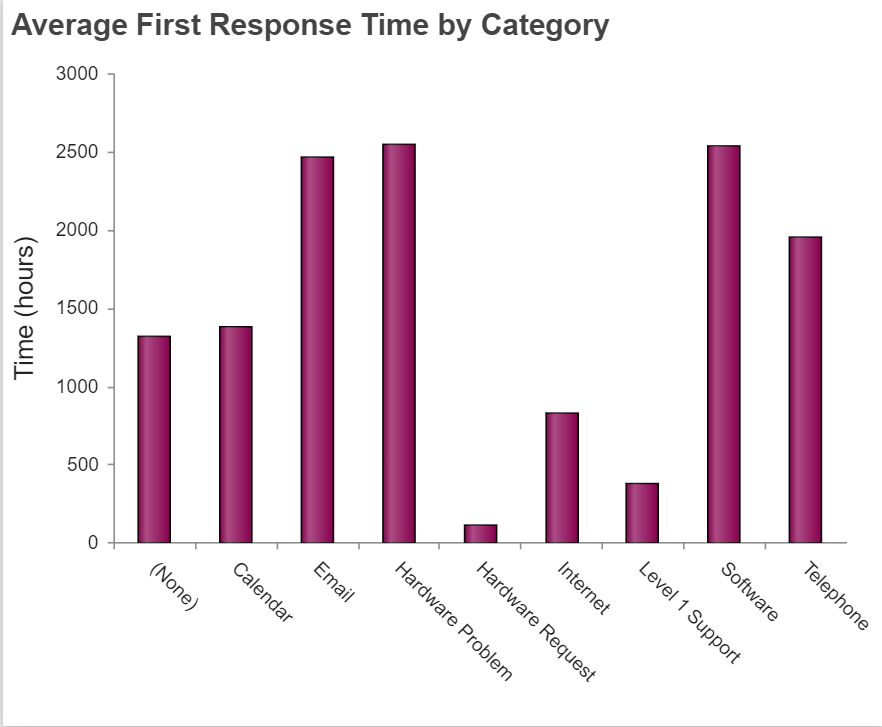
-Average First Response Time (hours) by Category: This report shows average time taken for first response of Ticket based on category. As shown in report, average first response time for calendar is 1380.02 and average first response time for email is 2465.63 and so on.
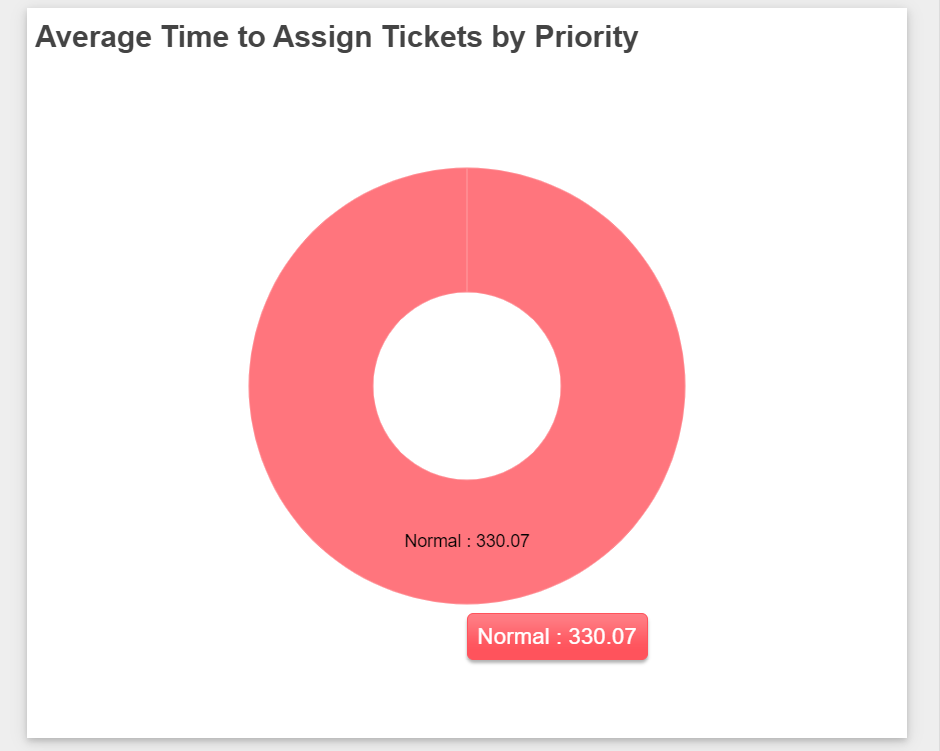
-Average Time(hours) to Assign Tickets by Priority: This report shows average time taken in hours to assign Ticket based on priority. As shown in report, average time take to normal Tickets is 330.07
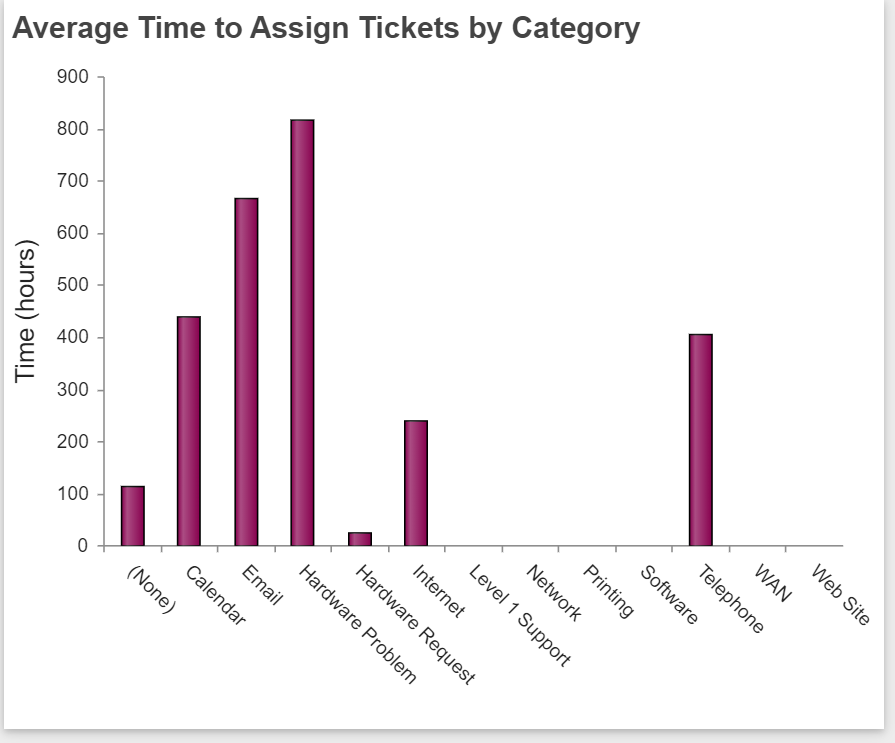
-Average Time(hours) to Assign Tickets by Category: This report shows average time taken in hours to assign Ticket based on category.
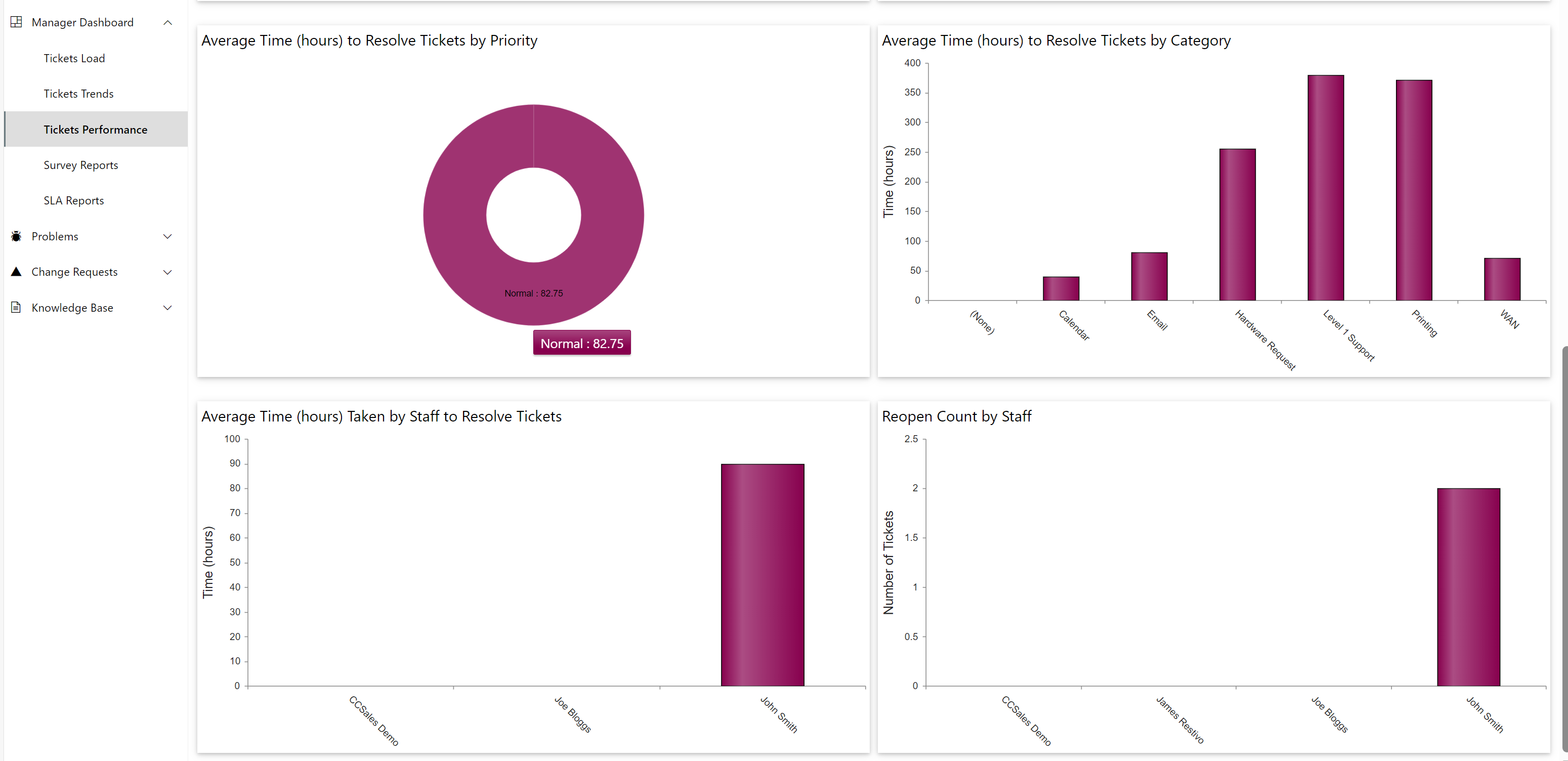
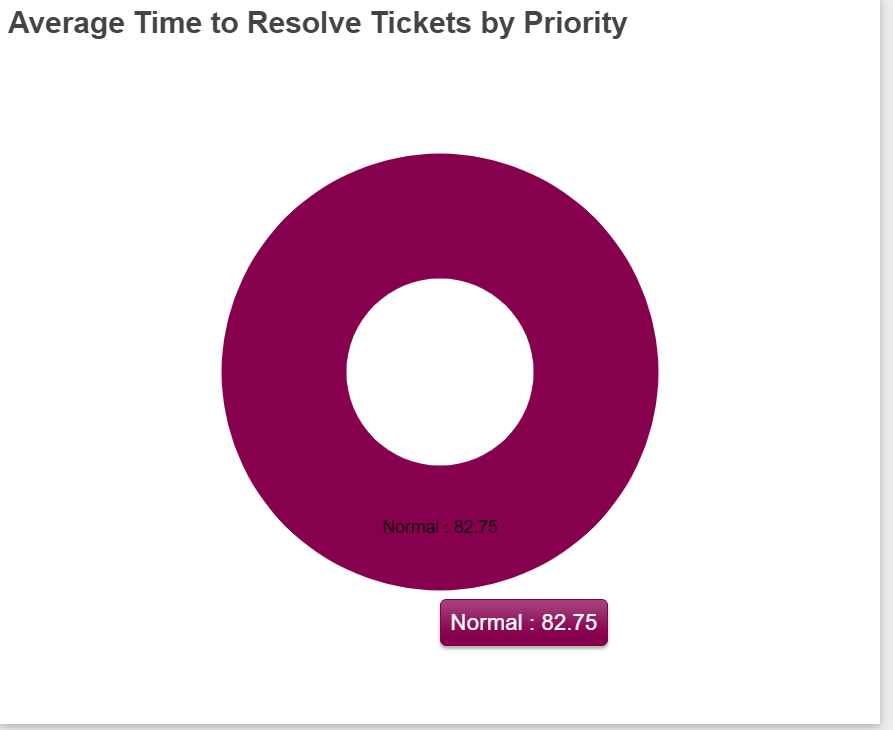
-Average Time(hours) to Resolve Tickets by Priority: This report shows average time taken in hours to resolve Ticket based on priority. As shown in report, average time taken to resolve normal Tickets is 82.75.
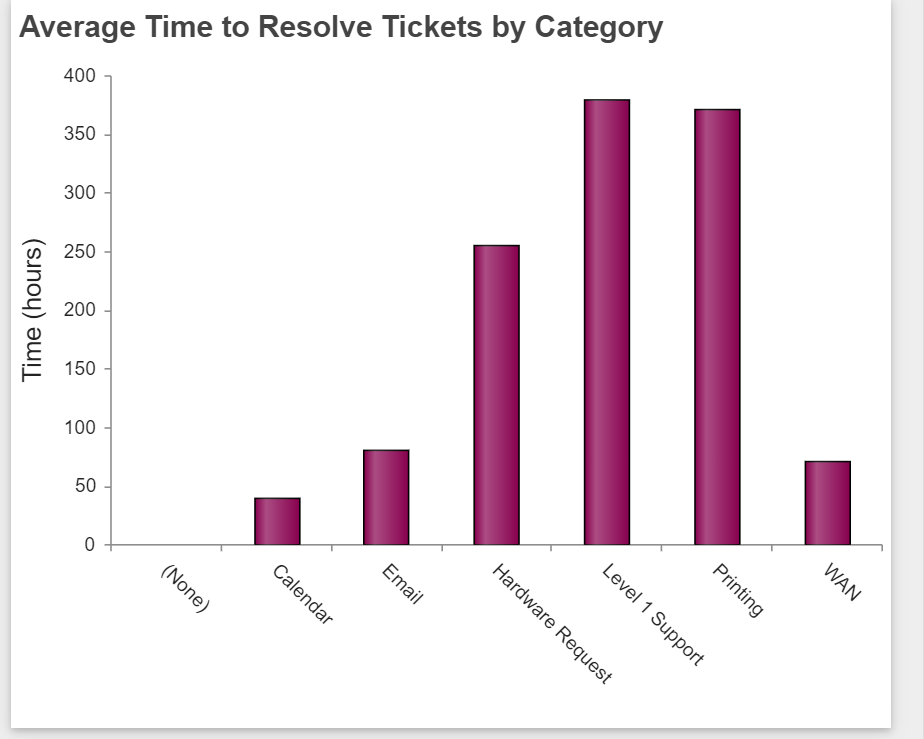
-Average Time(hours) to Resolve Tickets by Category: This report shows average time taken in hours to assign Ticket based on category. For example: as shown in report, average time taken to resolve Tickets with category calendar is 40.7.
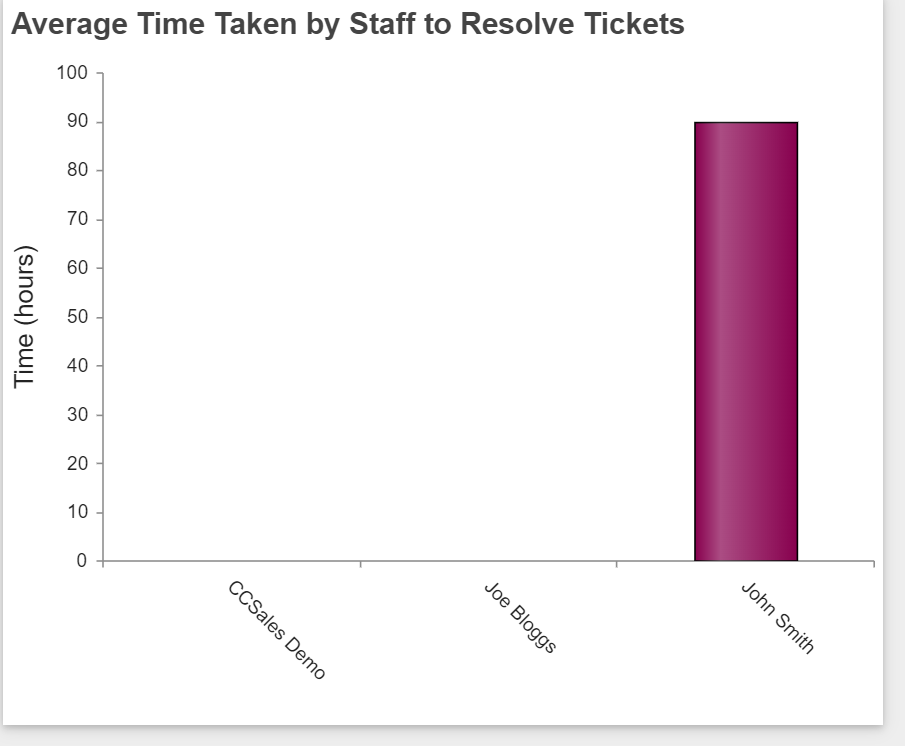
-Average Time(hours) Taken by Staff to Resolve Tickets: This report shows average time taken by assigned staff to resolve a Ticket. As shown in report, average time taken by John Smith to resolve Tickets is 89.94
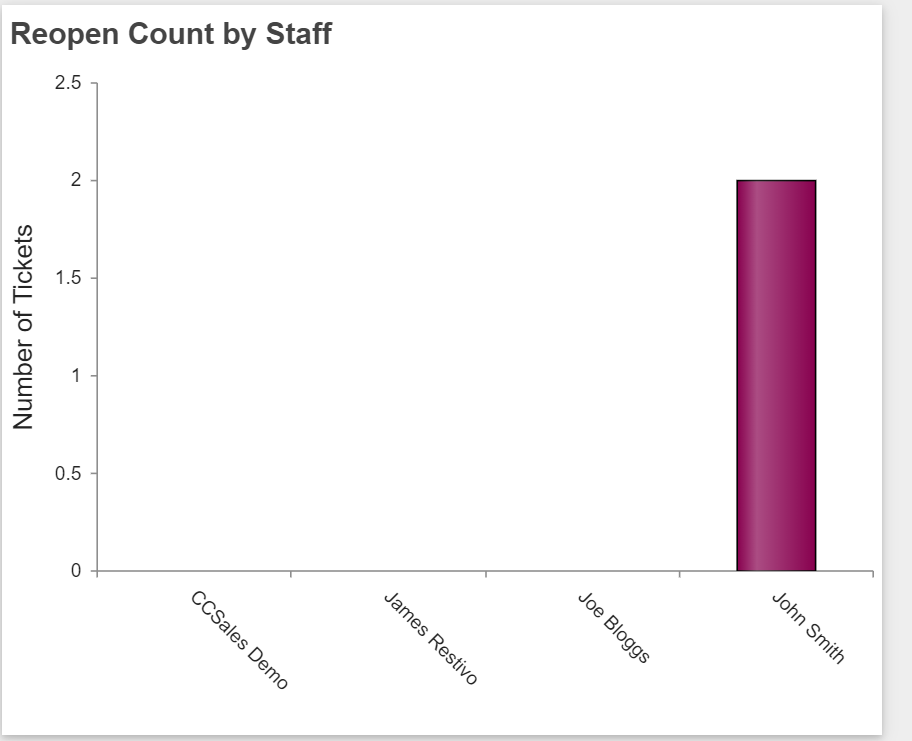
- Reopen Count by Staff: This report will show reopened Tickets count based on assigned staff. As shown in report, number of tickets reopened for John Smith is 2.
Survey Reports: This page shows the Manager various survey reports as listed below
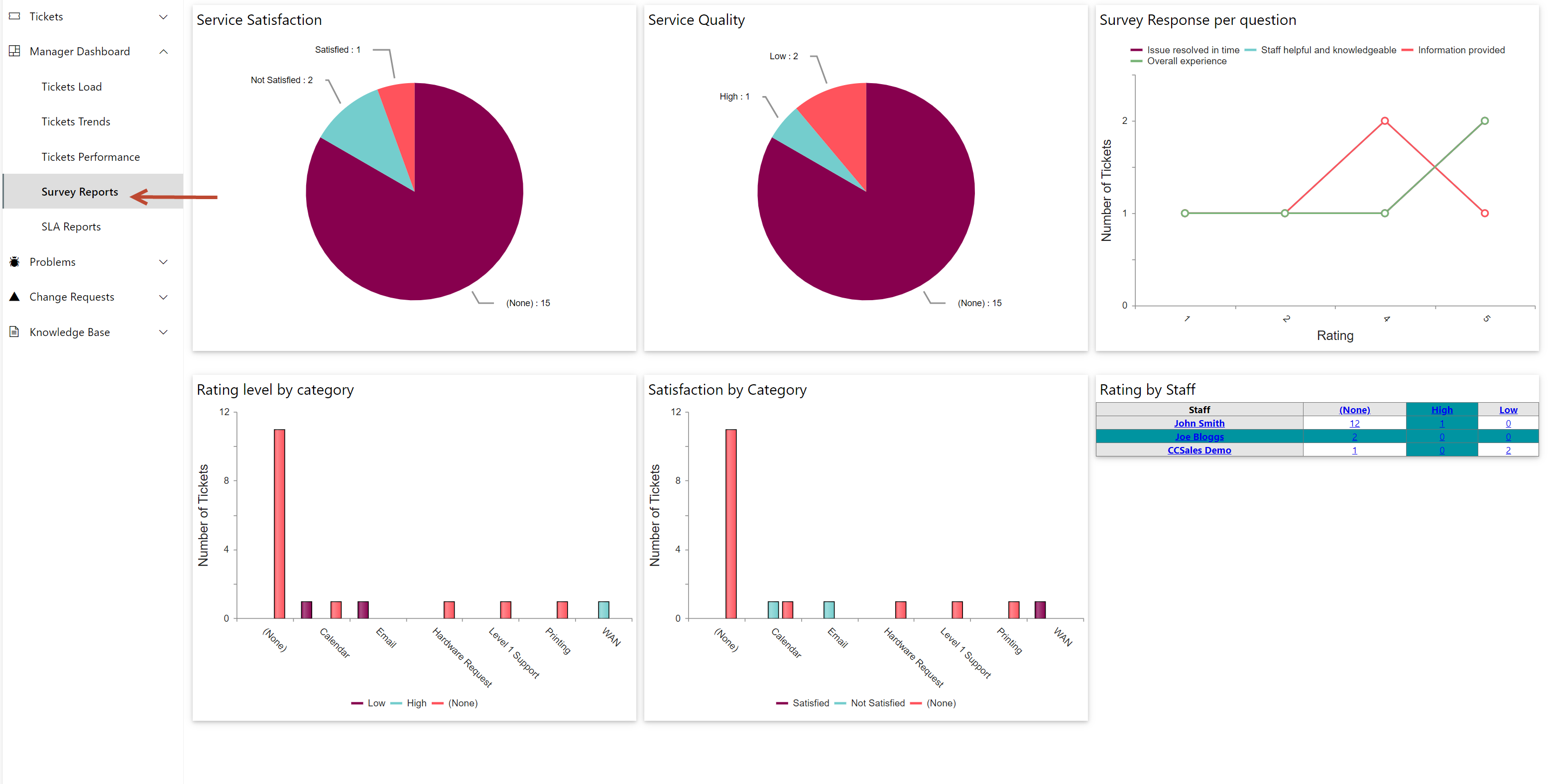
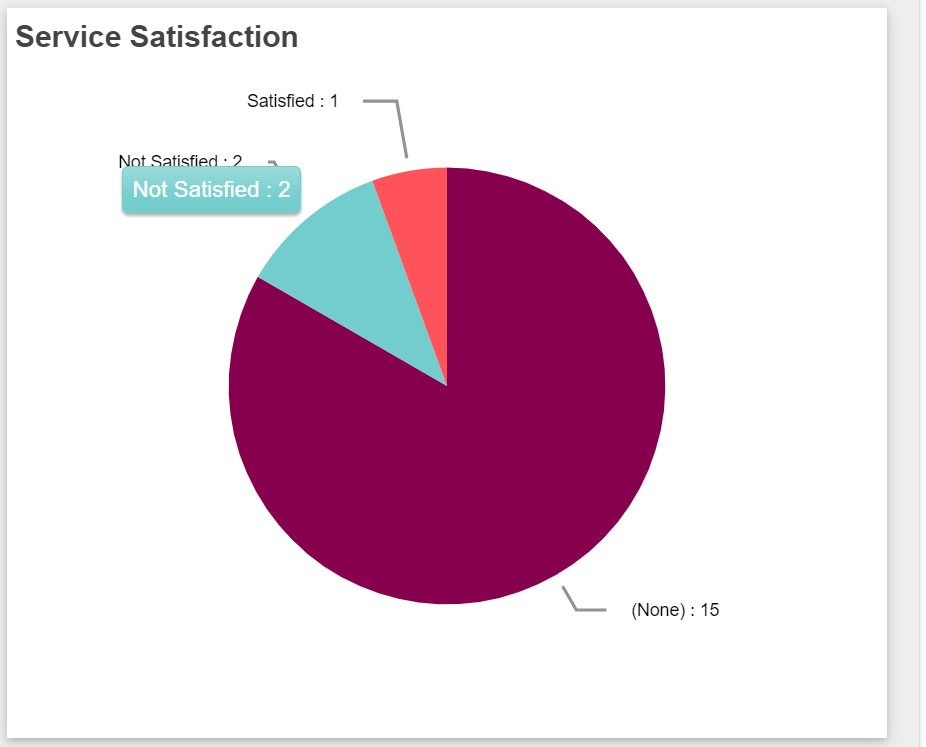
-Service Satisfaction: This report shows service satisfaction status of all closed Tickets.
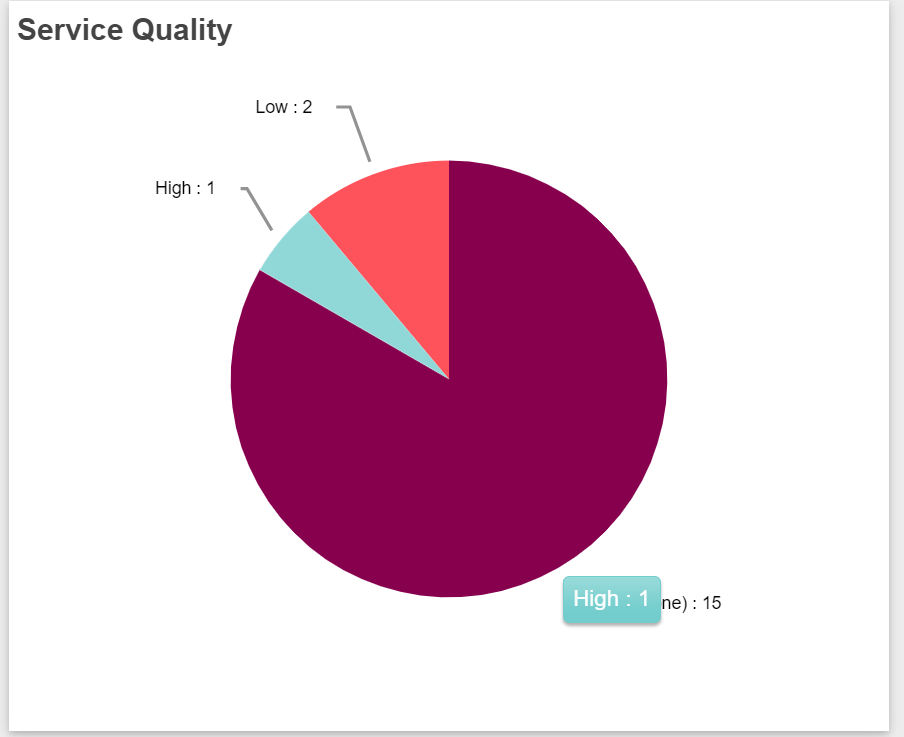
-Service Quality: This report shows average rating level of all closed Tickets.
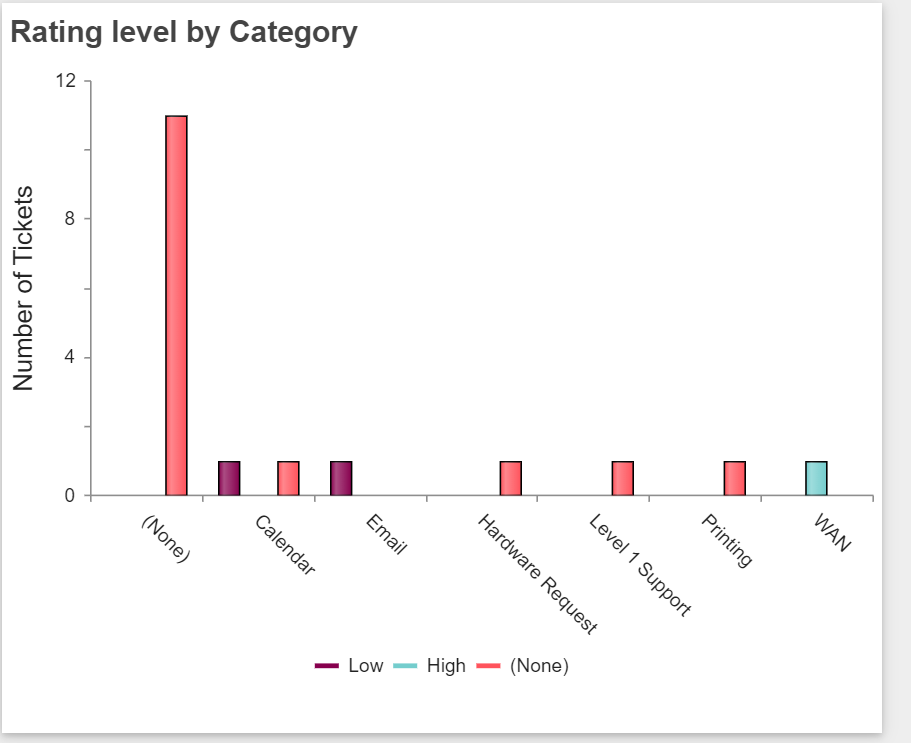
-Rating Level by Category: This report shows average rating level of all closed Tickets based on their category.
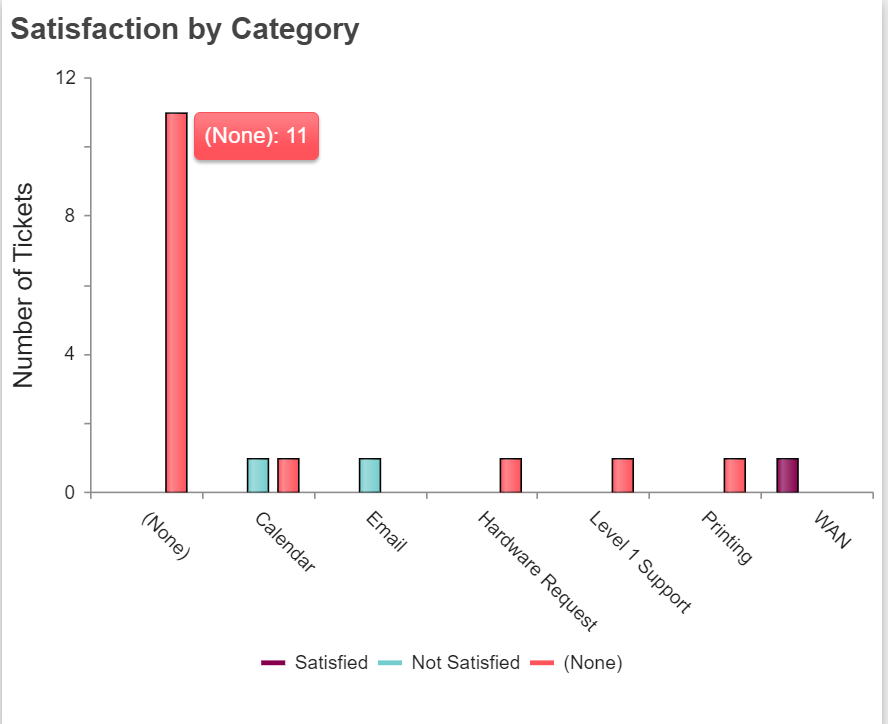
-Satisfaction by Category: This report shows service satisfaction status of all closed Tickets based on their category value.
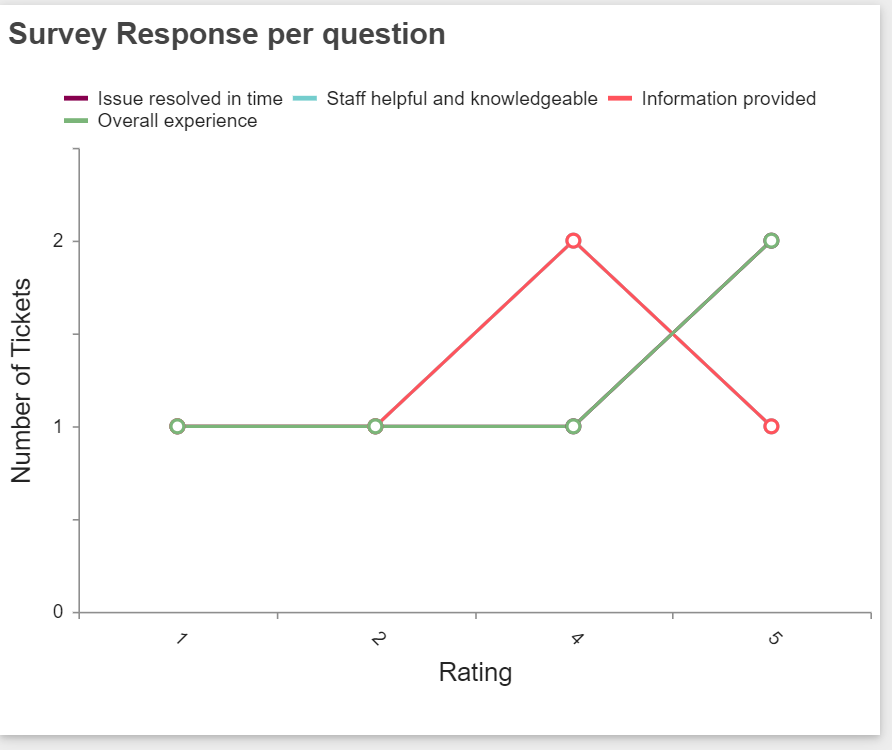
-Survey Response per question: This report shows rating for all Tickets based on questions In survey list.
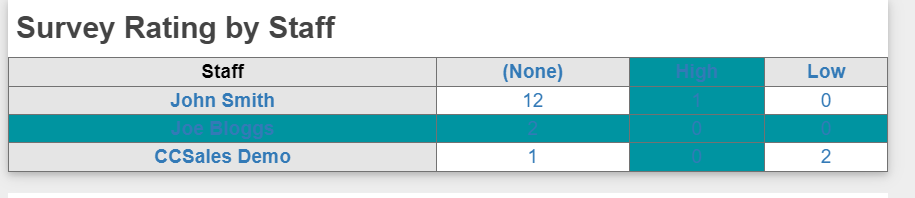
-Survey Rating by Staff: This report shows average rating level of all closed Tickets based on assigned staff.
SLA Reports: This page shows the Manager SLAs reports under below mentioned categories
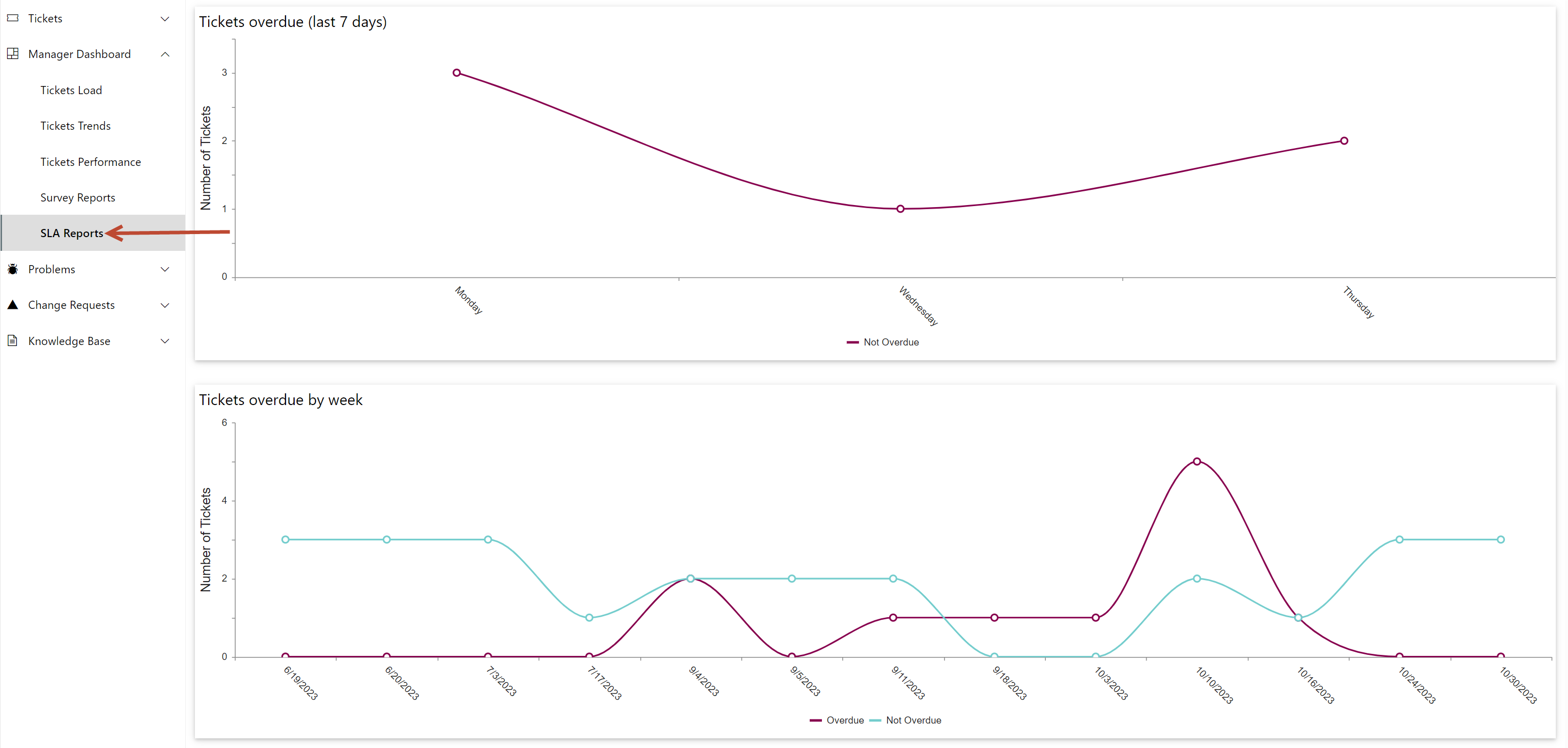
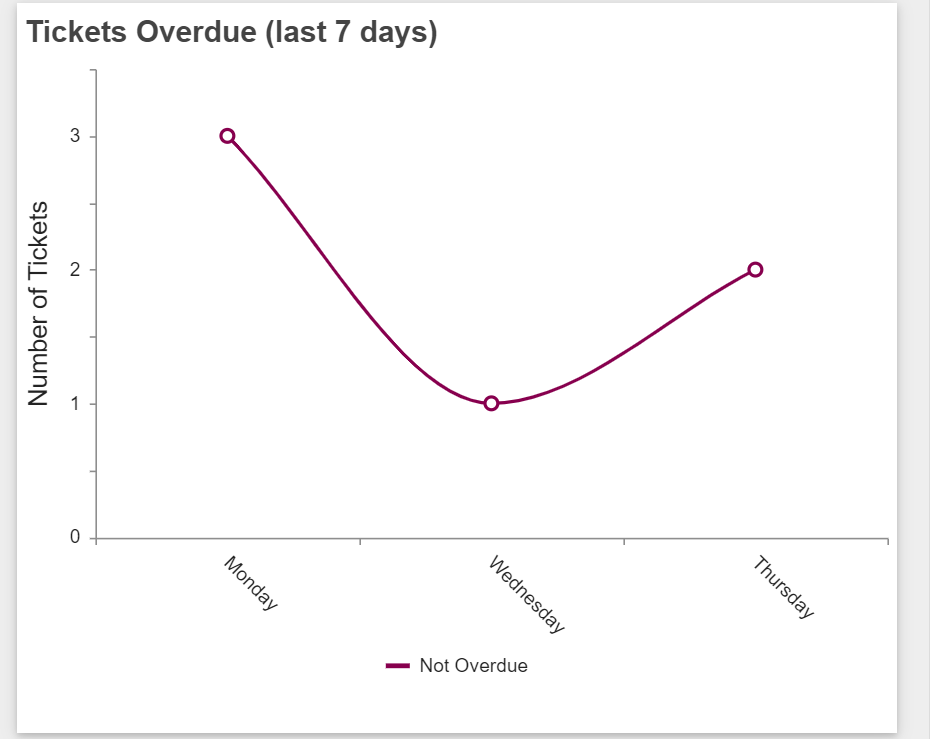
-Tickets Overdue (last 7 days): This report shows all overdue and not overdue Tickets based on column ‘Created’ and ‘SLATicketState’.
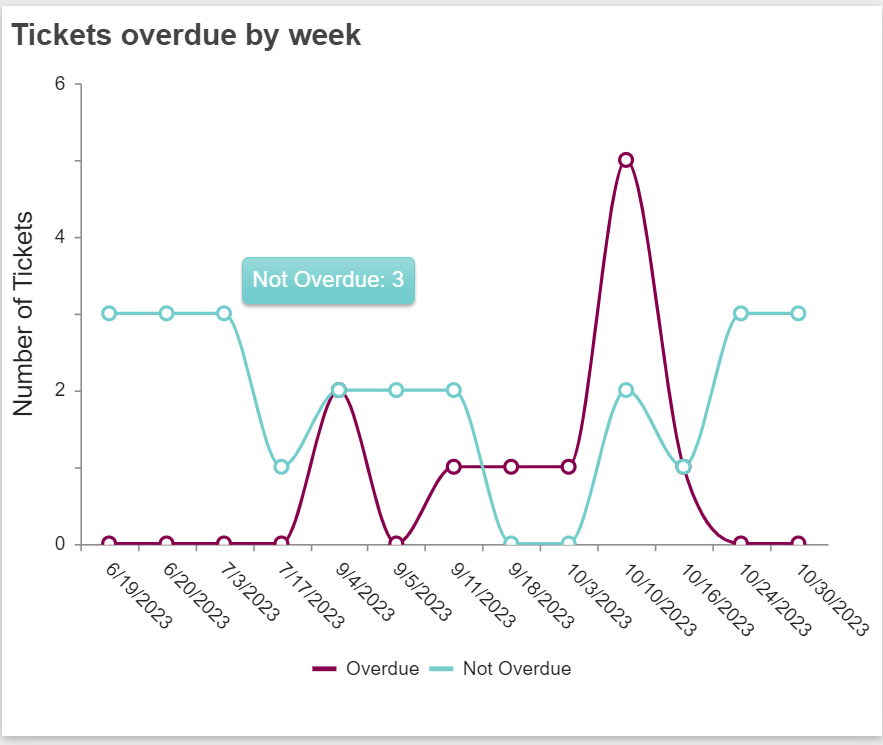
-Tickets Overdue by week: This report shows all overdue and not overdue status based on column ‘Week Start- Created Date’ and ‘SLATicketState’ for all open Tickets.
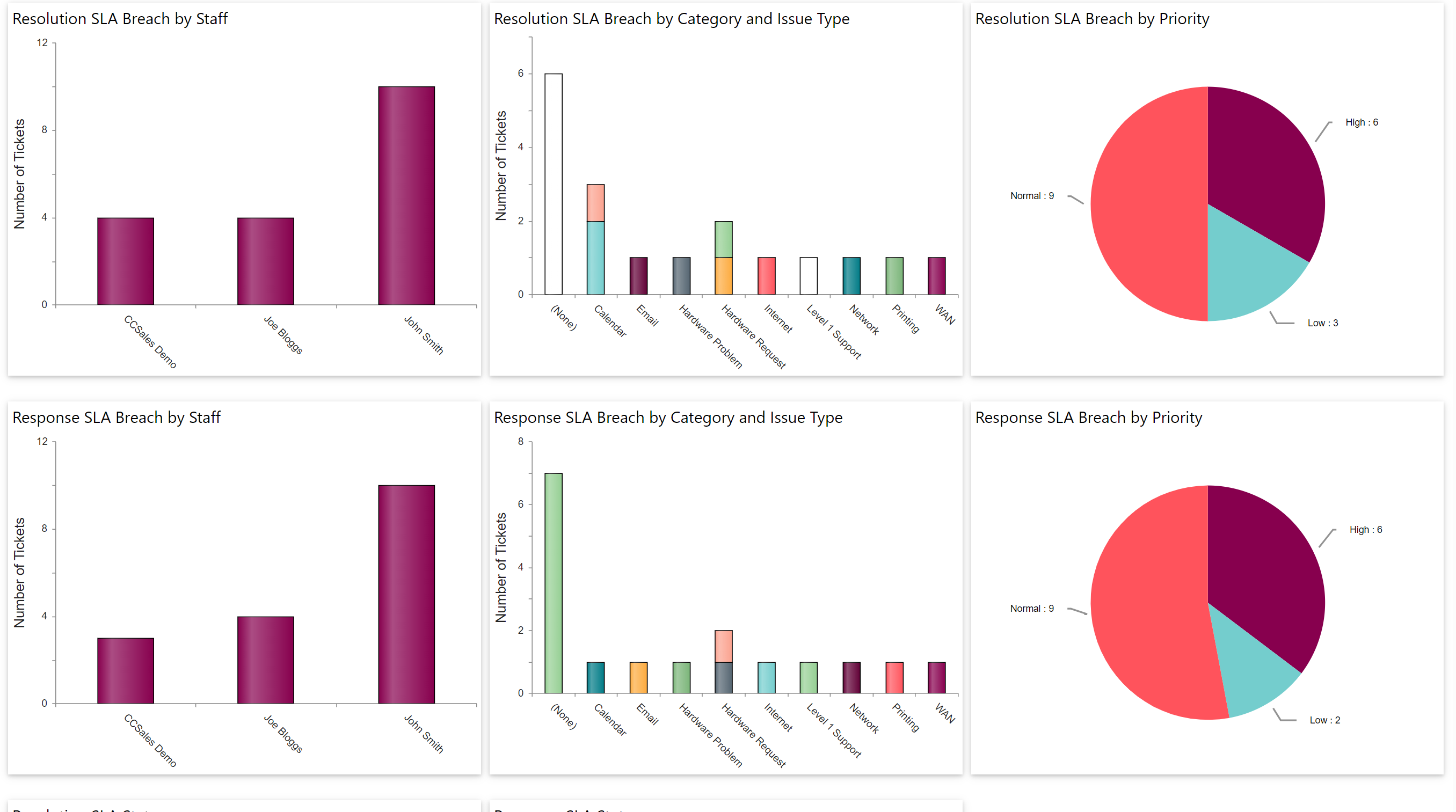
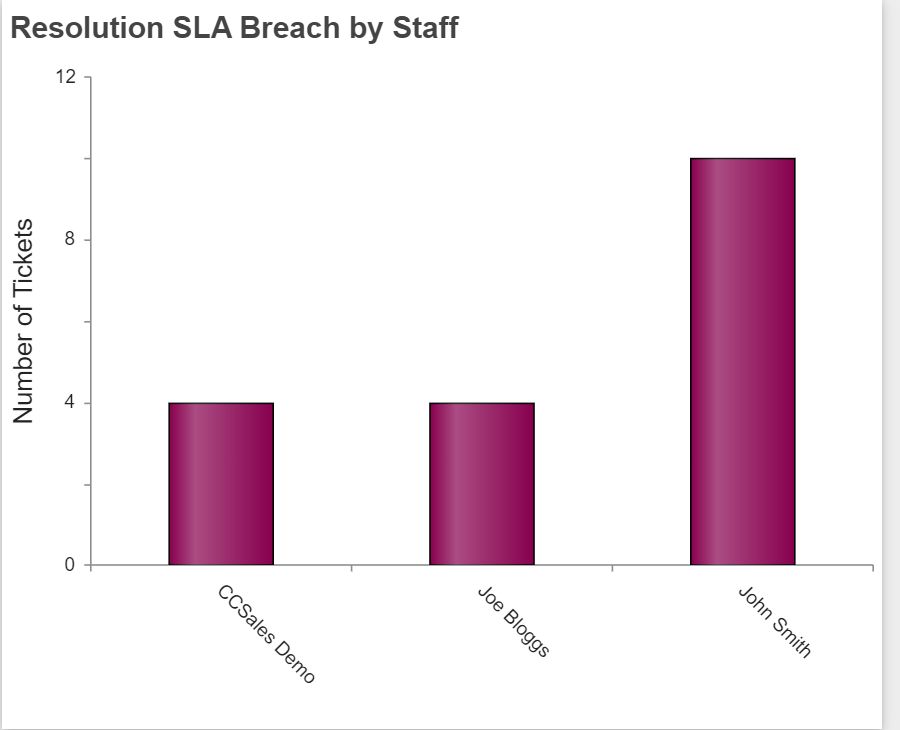
-Resolution SLA Breach by Staff:
This report shows Tickets of each assigned staff for which SLA resolution is breached.
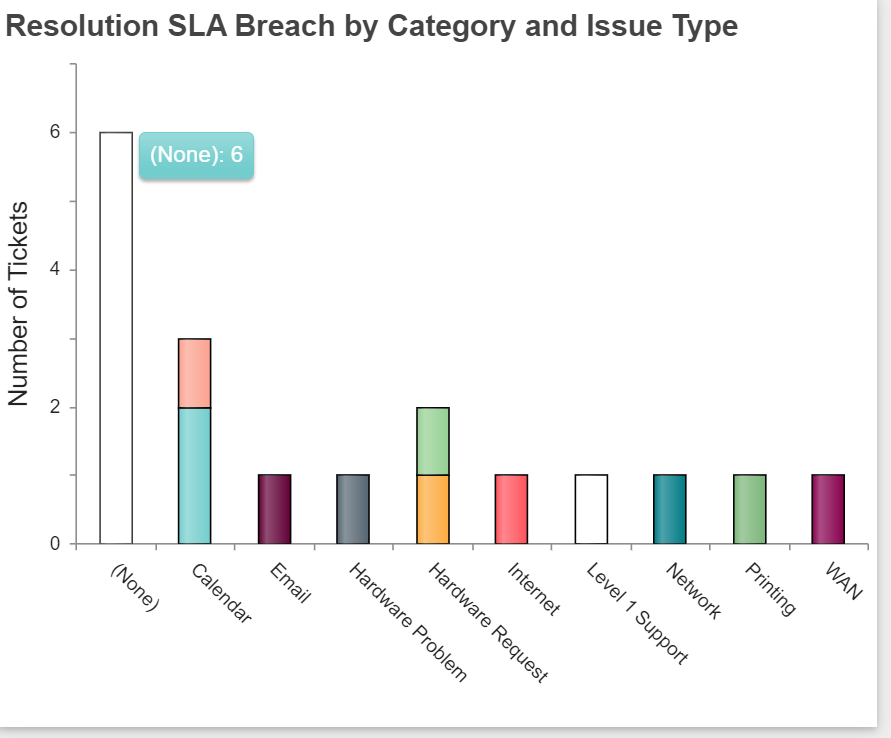
-Resolution SLA Breach by Category and Issue Type: This report shows Tickets for which SLA resolution is breached based on their category and issue type.
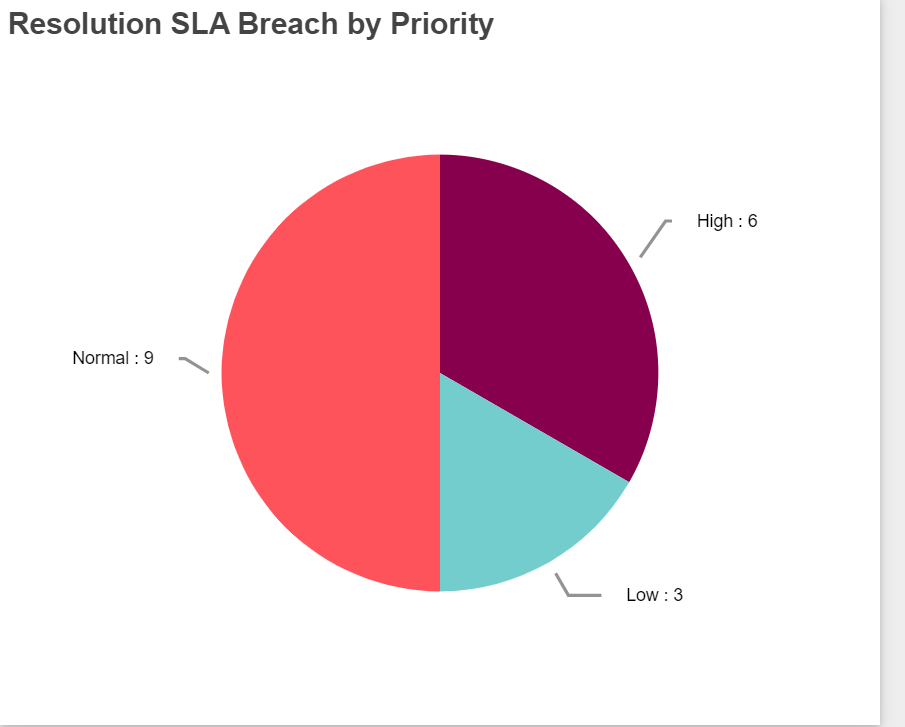
-Resolution SLA Breach by Priority: This report shows Tickets for which SLA resolution breached based on priority.
-Response SLA Breach by Staff: This report shows Tickets of each assigned staff for which SLA response breached.
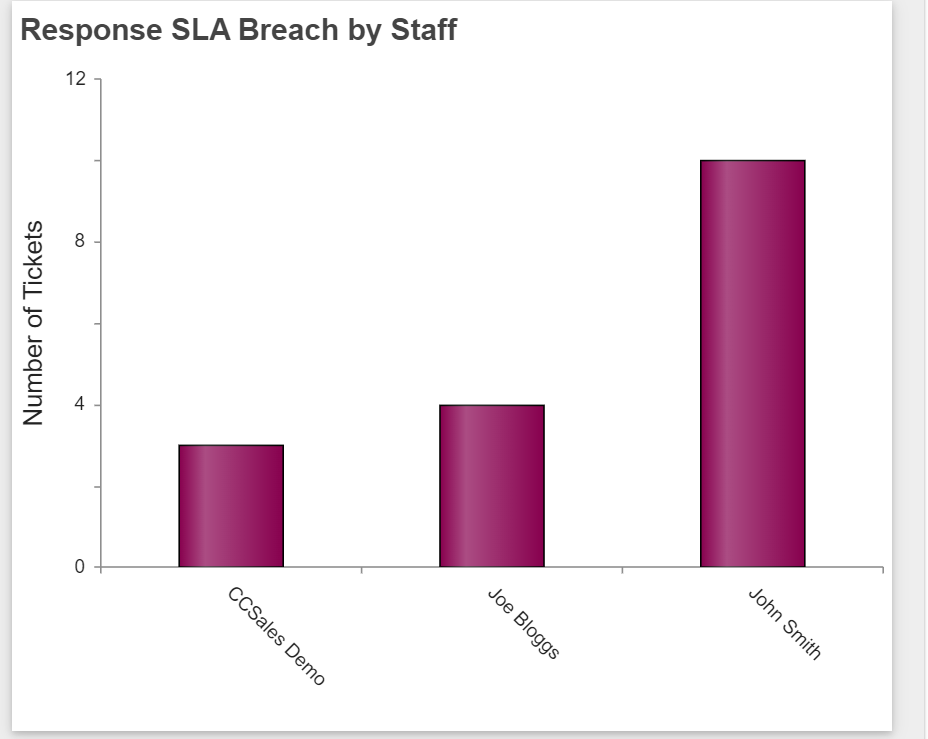
-Response SLA Breach by Category and Issue Type: This report will show all Tickets for which SLA response breached based on category and Issue Type.
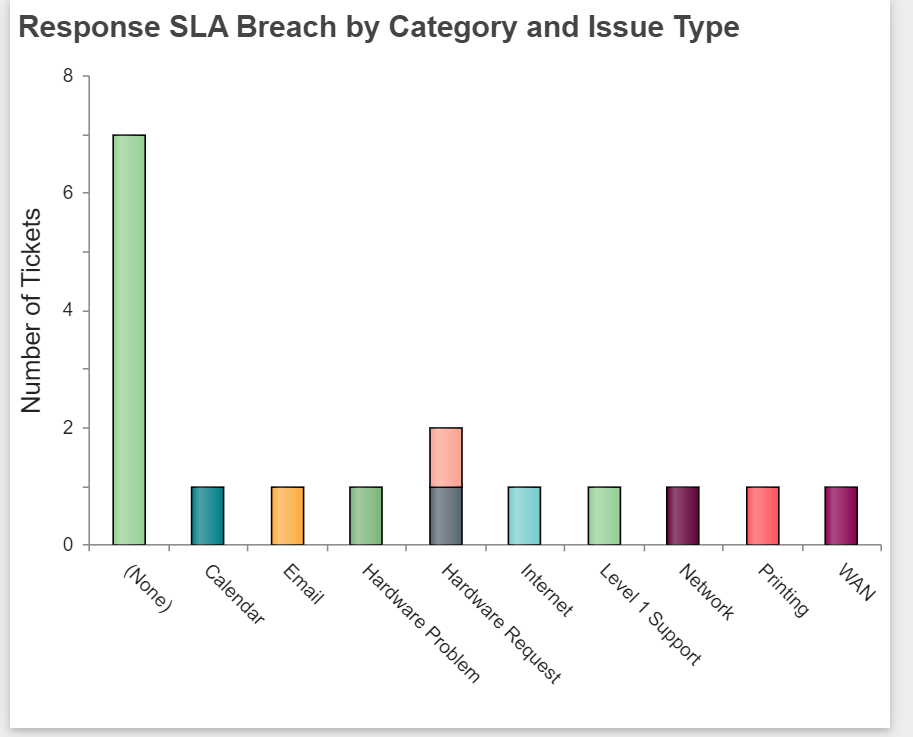
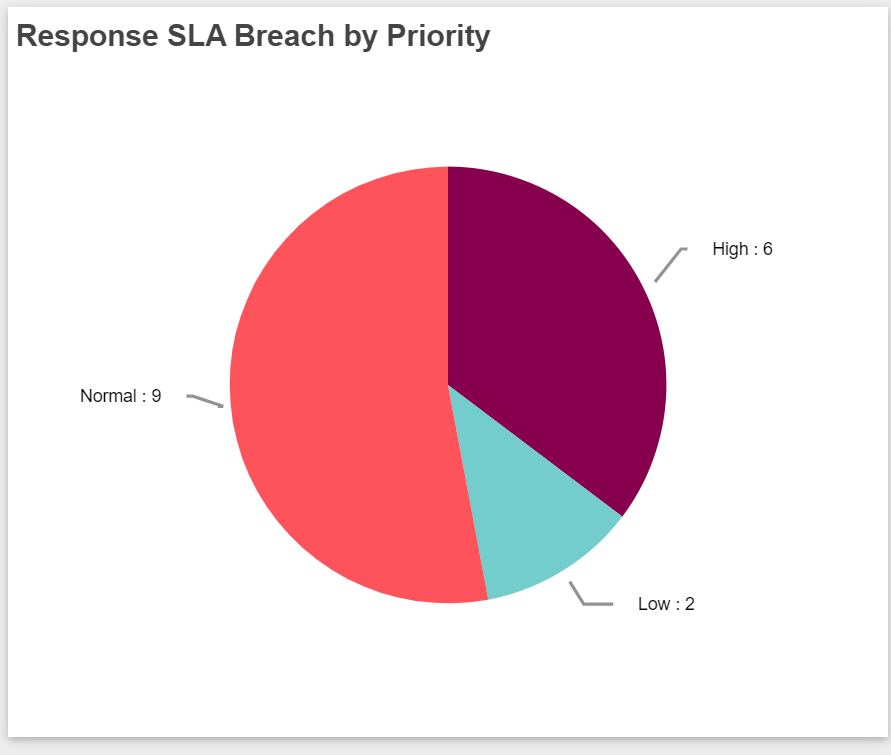
-Response SLA Breach by Priority: This report shows all Tickets for which response breached based on priority.
-
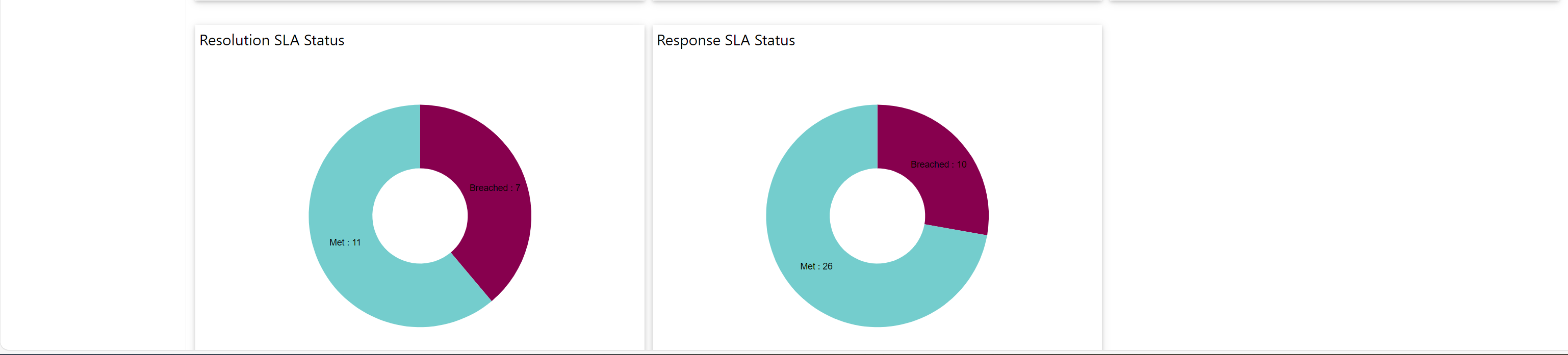
-Resolution SLA Status: This report shows all closed Tickets for which SLA resolution met and all closed Tickets for which SLA resolution breached.
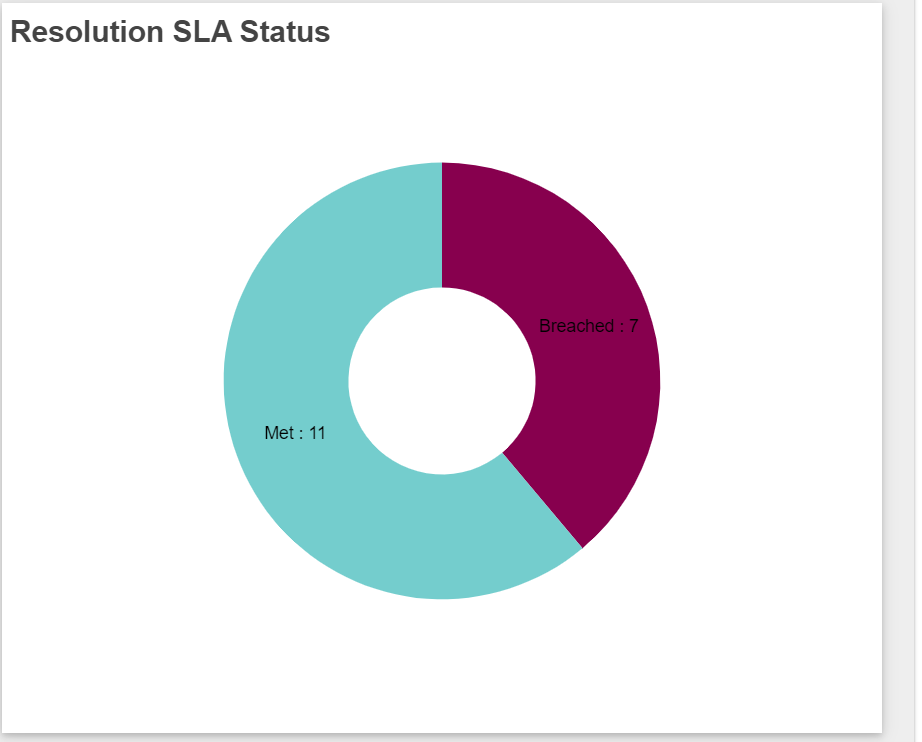
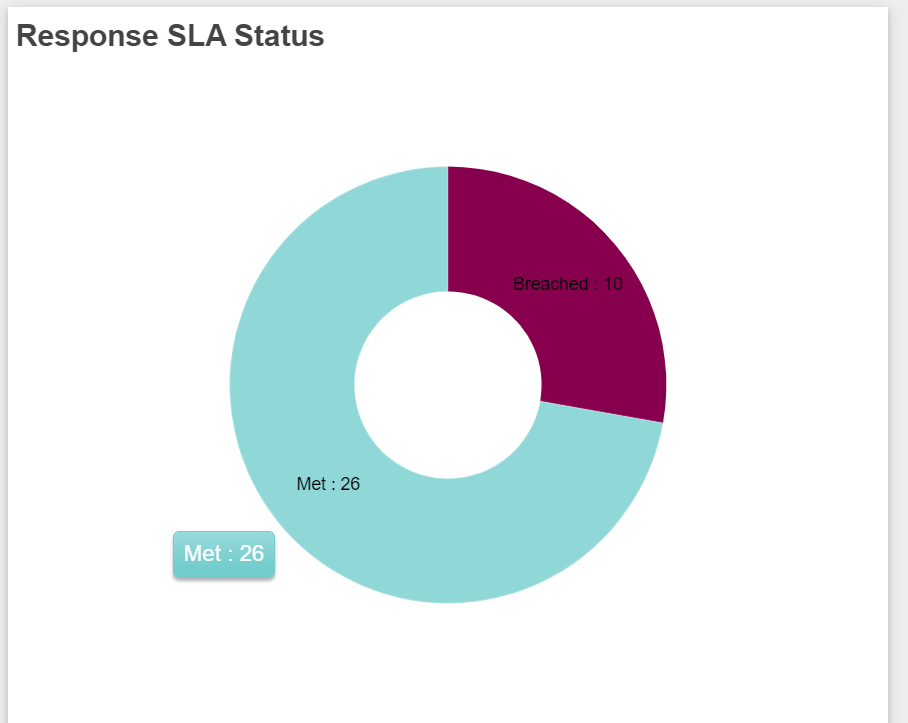
-Response SLA Status: This report shows all open Tickets for which SLA response met and all open Tickets for which SLA Response breached.