In some scenarios, you may want tickets to be automatically assigned to staff even when no Category or Issue Type is selected. For this, NITRO Helpdesk provides a general auto-assignment feature.
With this feature enabled, every new ticket will be assigned to a staff member from the Staff list, using the chosen assignment method:
•Round Robin: Rotates assignments evenly among staff.
•Load Balance: Assigns to the staff member with the least number of open tickets.
How to Enable:
1.Go to Administration from the top link bar -> Navigate to Auto Assignment → Ticket Assignment -> Edit the ‘Configurations – Service Request’ item.
2.Set:
oAuto-assign Staff Selection to Staff List
oAuto-assign Mode to either Round Robin or Load Balance
For detailed instructions, refer to this article:
Auto-assignment in Crow Canyon helpdesk applications - Crow Canyon Software Support

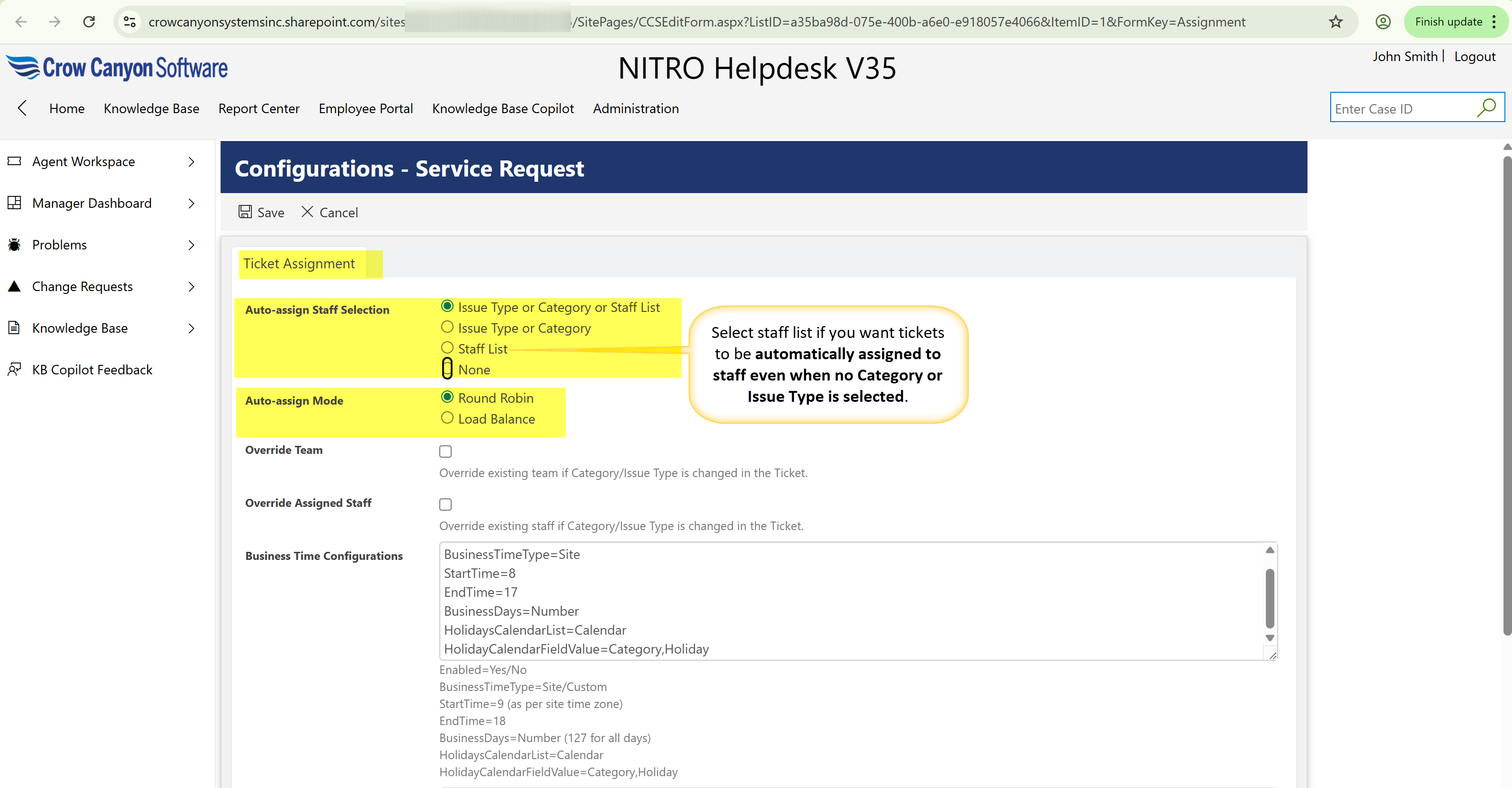
Ticket Assignment: Auto-assign Staff Selection Options
This setting controls how the Assigned Staff for a ticket is automatically selected. Here’s what each option means:
Issue Type or Category or Staff List
•Priority order:
1.If Issue Type has Assigned Staff → assign from there.
2.Else if Category has Assigned Staff → assign from there.
3.Else → assign from the general Staff List.
Use this when you want a flexible assignment process that checks Issue Type first, then Category, and finally falls back to the Staff List if nothing is defined.
Issue Type or Category
•Priority order:
1.If Issue Type has Assigned Staff → assign from there.
2.Else if Category has Assigned Staff → assign from there.
3.If neither has Assigned Staff → ticket will not be auto-assigned.
Use this when you want tickets to be assigned strictly based on the classification (Issue Type or Category) and prefer no fallback if those aren't set.
Staff List
•Ignores Category and Issue Type.
•Assigns ticket from the general Staff list using Round Robin or Load Balance.
Use this when you want to assign tickets without relying on Category or Issue Type — great for quick or unclassified ticket routing.
None
•Disables auto-assignment.
•Tickets must be manually assigned by users.
Use this when your team prefers to manually review and assign each ticket instead of using automated rules.