Here’s an example of how AI prioritization works for a ticket in a Helpdesk system:
User created the ticket through portal.
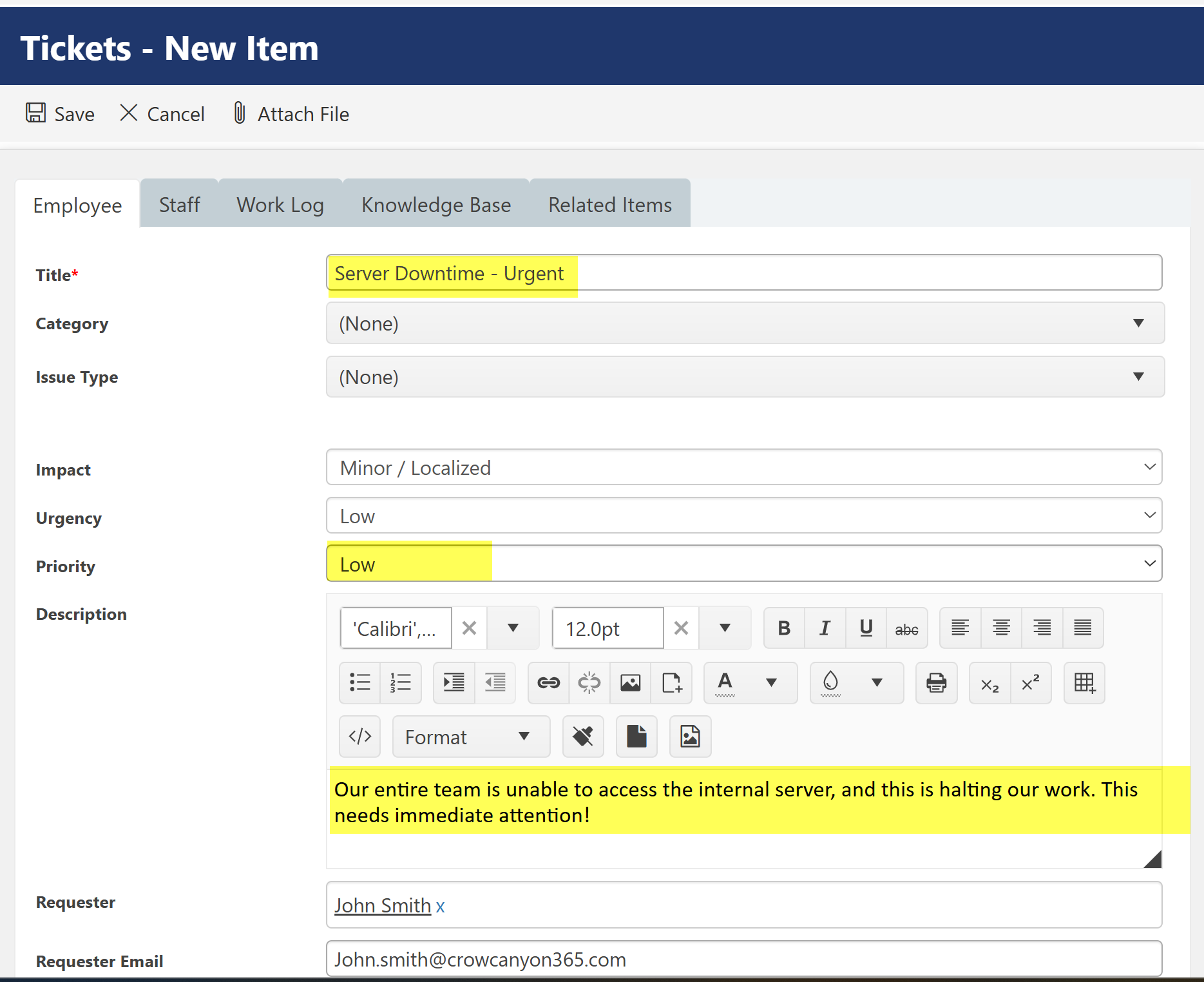
Ticket Information:
•Subject/Title: Server Downtime - Urgent
•Description: "Our entire team is unable to access the internal server, and this is halting our work. This needs immediate attention!"
•Priority: Low
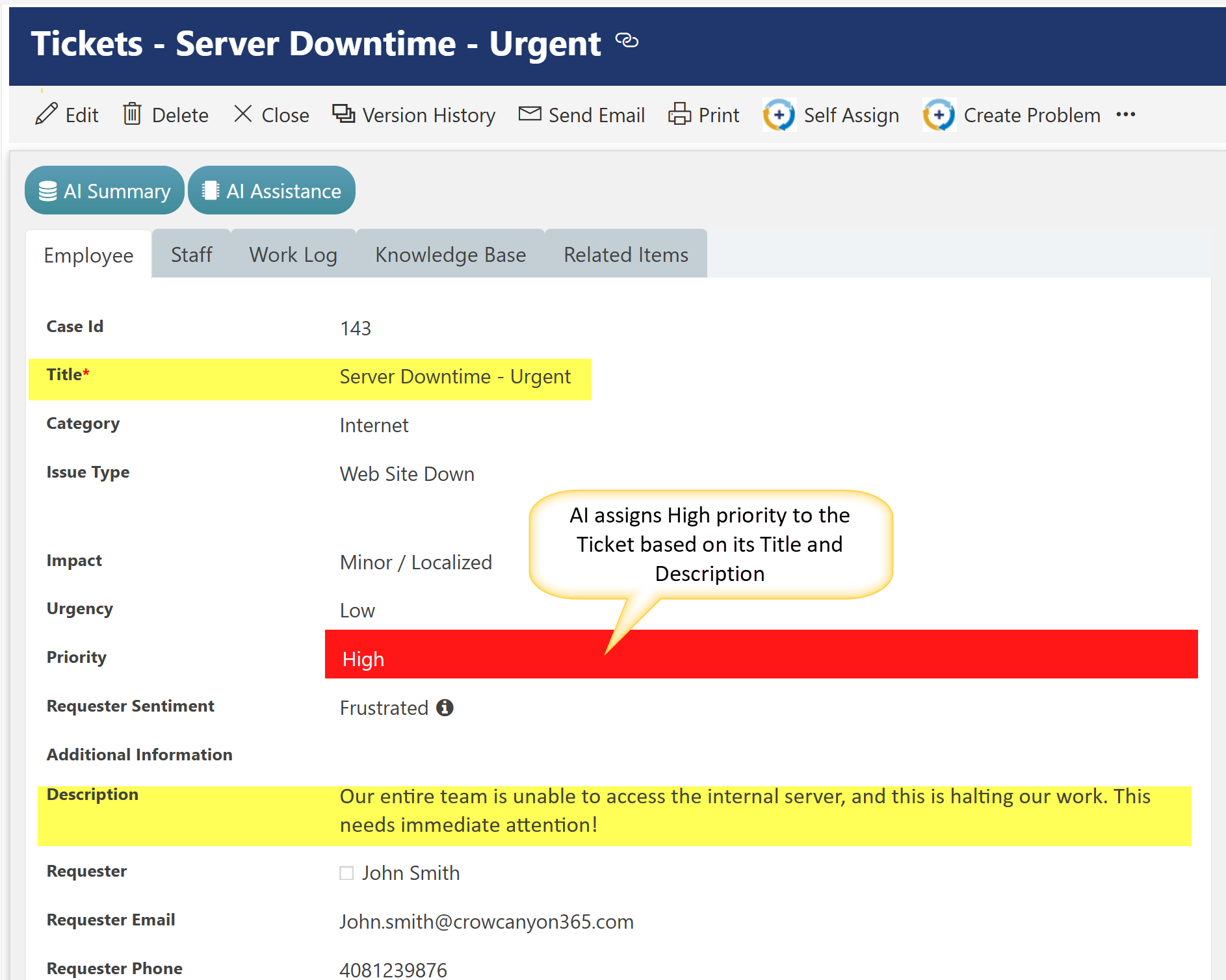
AI Prioritization: Priority assigned by AI for above Ticket
•Priority Assigned: High
•AI Justification: The issue affects the entire team and halts their work, indicating a critical impact on operations.
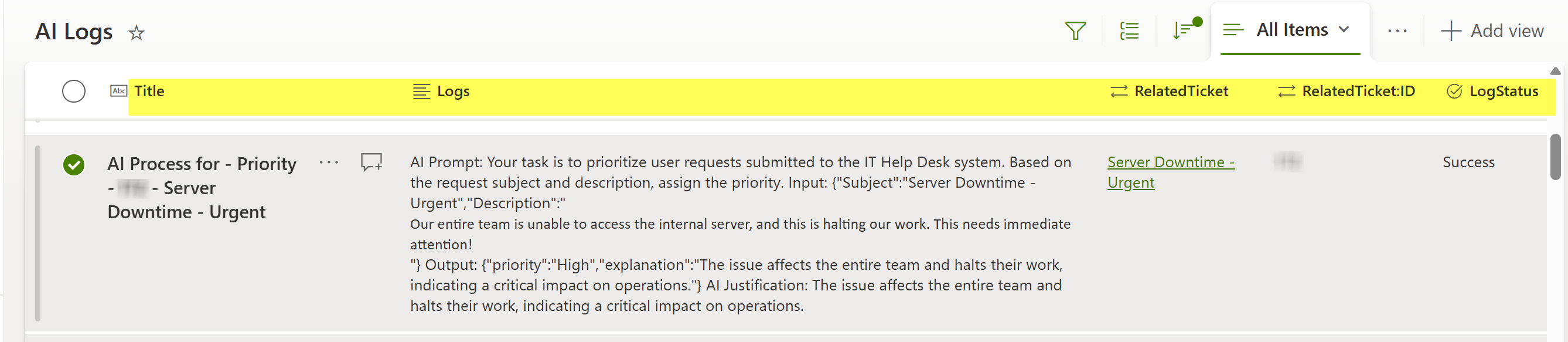
AI Log:
•Related Ticket: Server Downtime - Urgent
•Logs: AI Prompt: Your task is to prioritize user requests submitted to the IT Help Desk system. Based on the request subject and description, assign the priority. Input: {"Subject":"Server Downtime - Urgent","Description":"
Our entire team is unable to access the internal server, and this is halting our work. This needs immediate attention!"} Output: {"priority":"High","explanation":"The issue affects the entire team and halts their work, indicating a critical impact on operations."} AI Justification: The issue affects the entire team and halts their work, indicating a critical impact on operations.
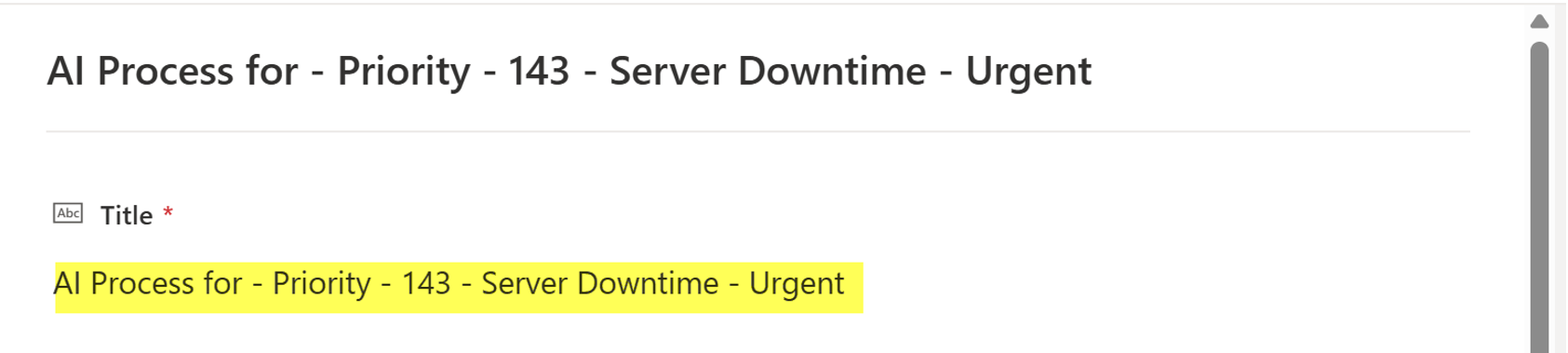
•RelatedTicket:ID: 143
•Log Status: Success
This ticket is automatically assigned a high priority based on the content of the user's message and its potential impact, ensuring the Helpdesk team prioritizes it promptly.
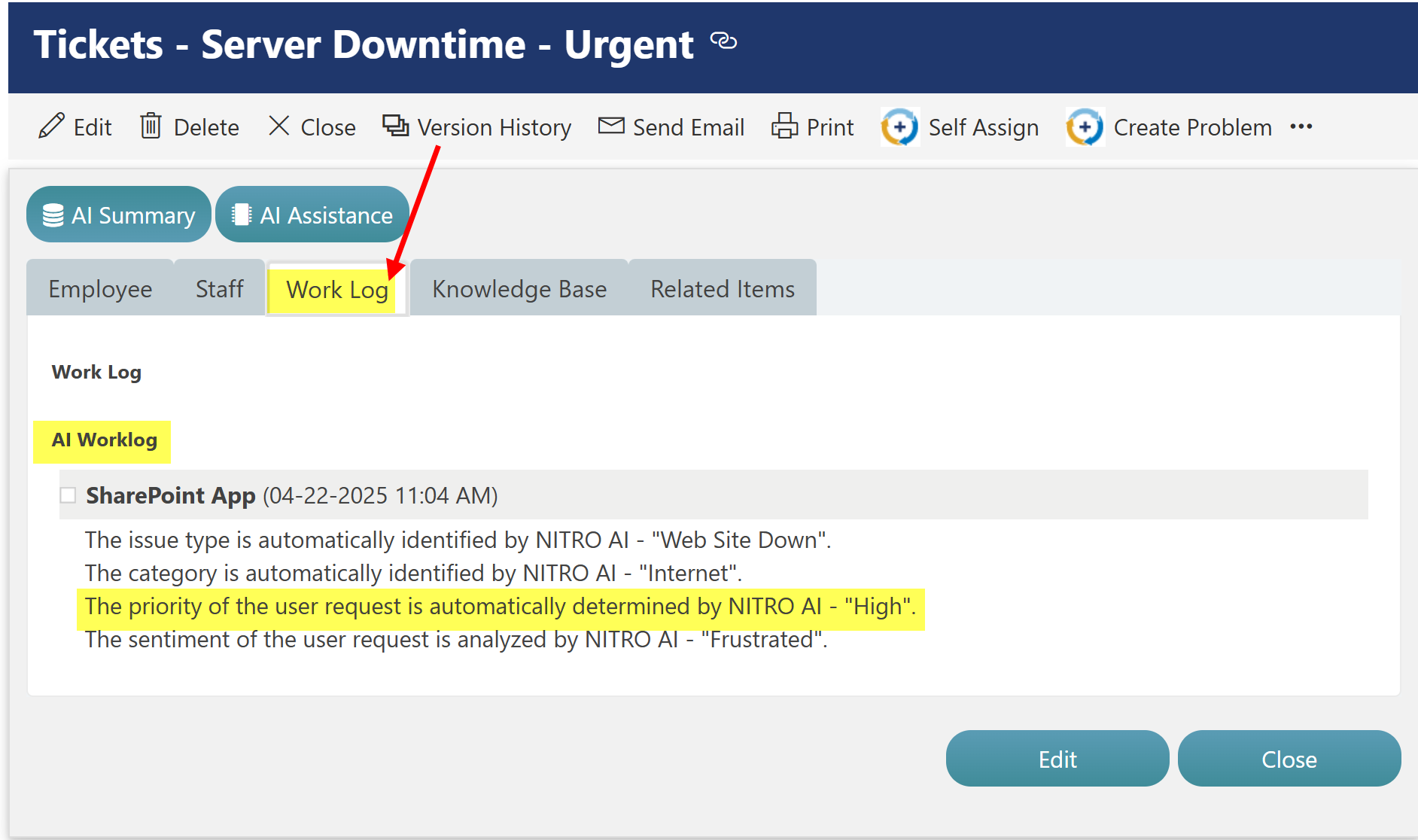
Check the AI Worklog column in the ticket to verify that the priority was automatically assigned by the AI.
Go to the ‘Work Log’ Tab in Tickets form
‘AI Logs’ list Result for above Ticket: