Click this link to open ‘Ticket-Staff-Workspace’ page.
Tickets dropdown consists of
•New Ticket
•All Tickets
•Search Tickets
New Ticket
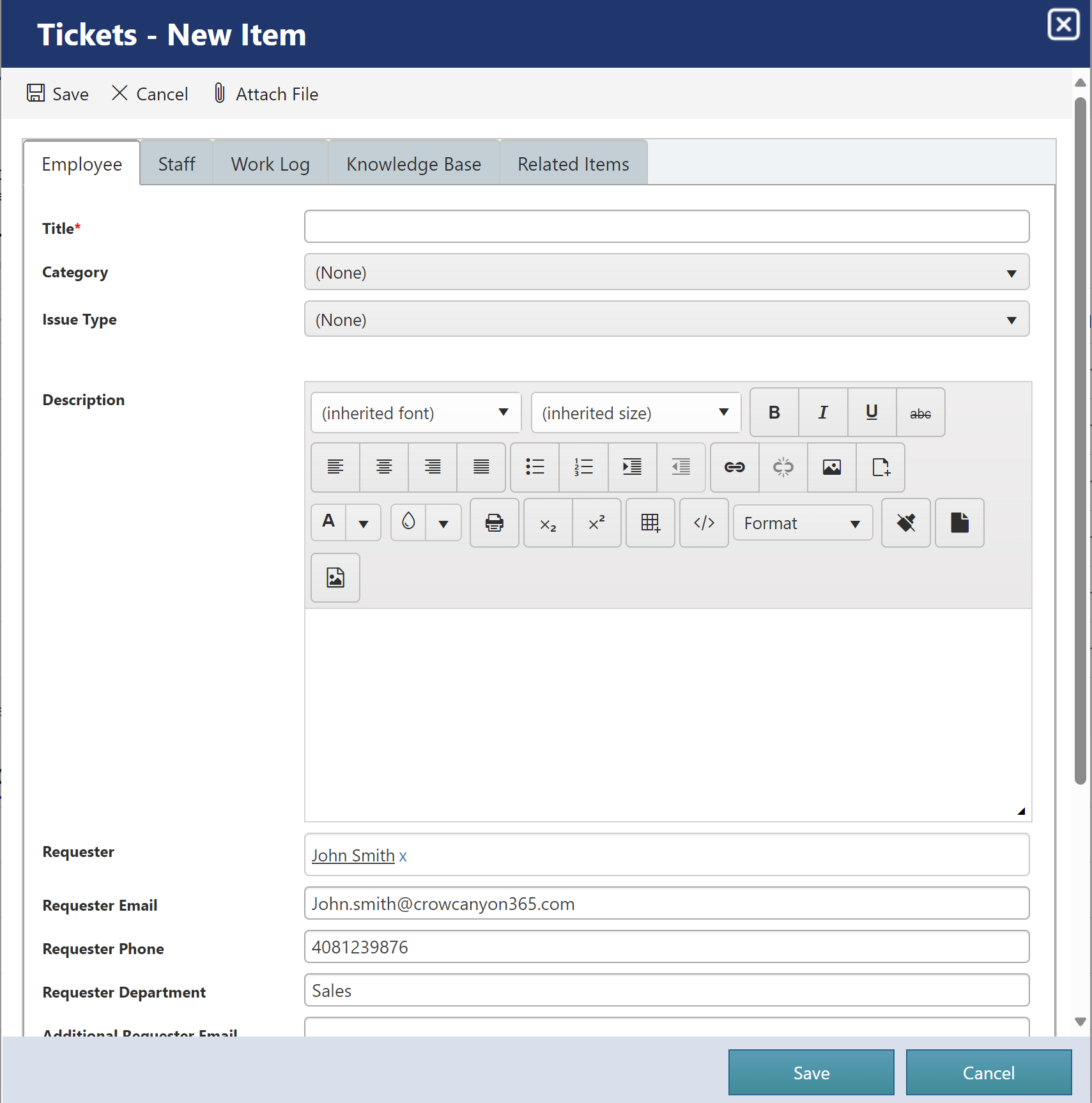
Users can create new Ticket using this link as shown below. When form is saved ‘Case Id’ will be generated for the Ticket.
Format of this Id can be modified as per your organizational needs, refer this article for more details.
All Tickets
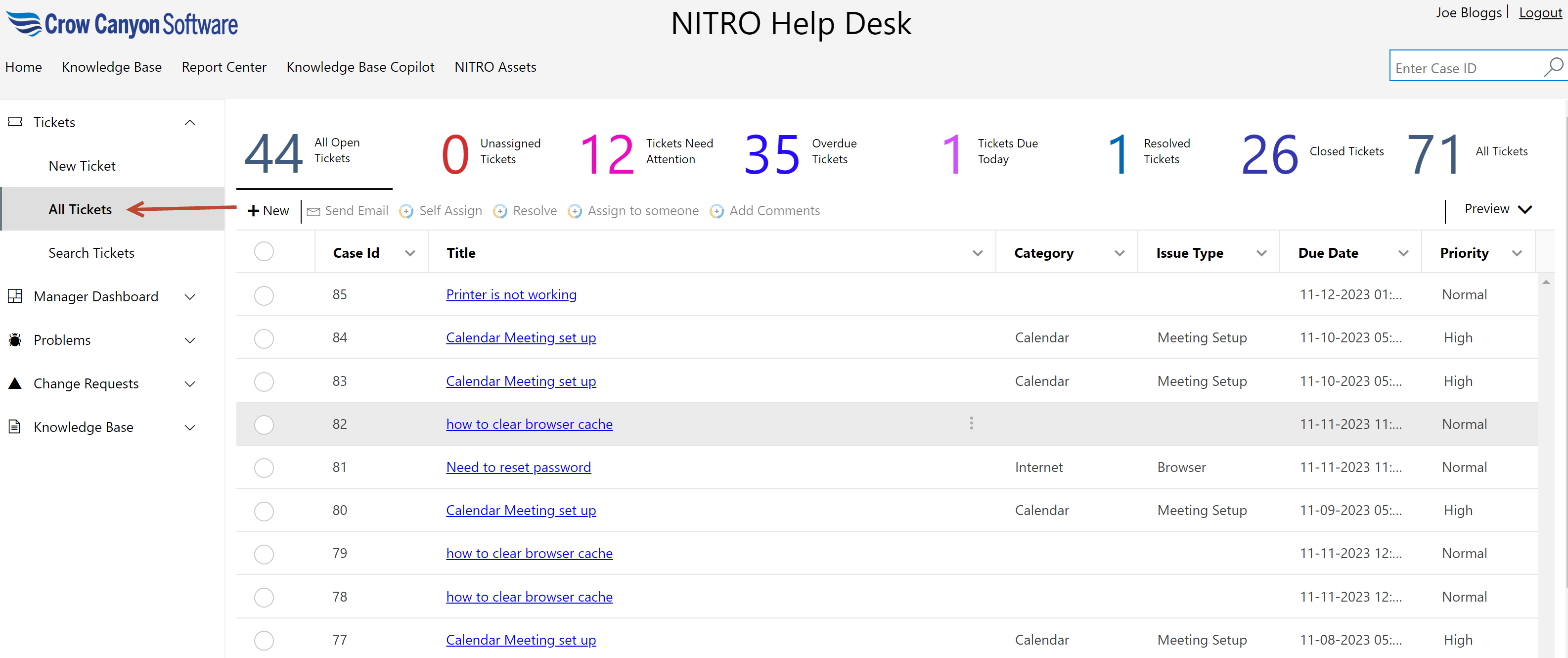
This page has several views to show Tickets with different stages. Also, users can see Tickets created by themselves.
Search Tickets
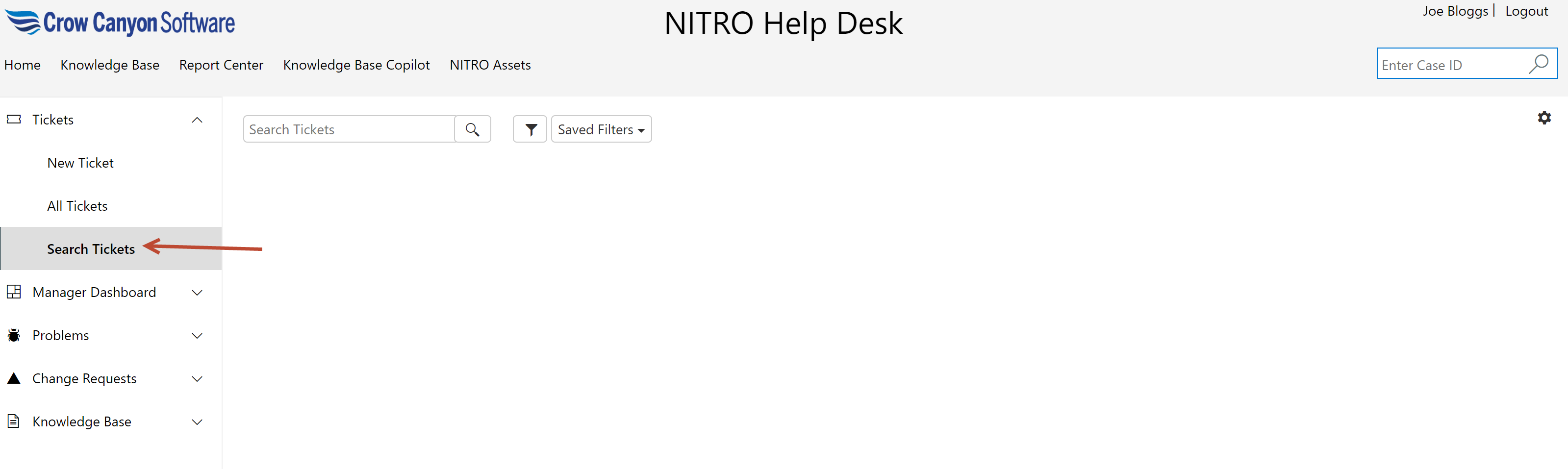
User can search a Ticket by clicking ‘Search Tickets’ in ‘Tickets’ dropdown as shown below
Manager Dashboard
Click this link to open ‘Manager-Staff-Workspace’ page.
Manager Dashboard dropdown consists of
•Tickets Load
•Tickets Trend
•Tickets Performance
•Survey Reports
•SLA Reports
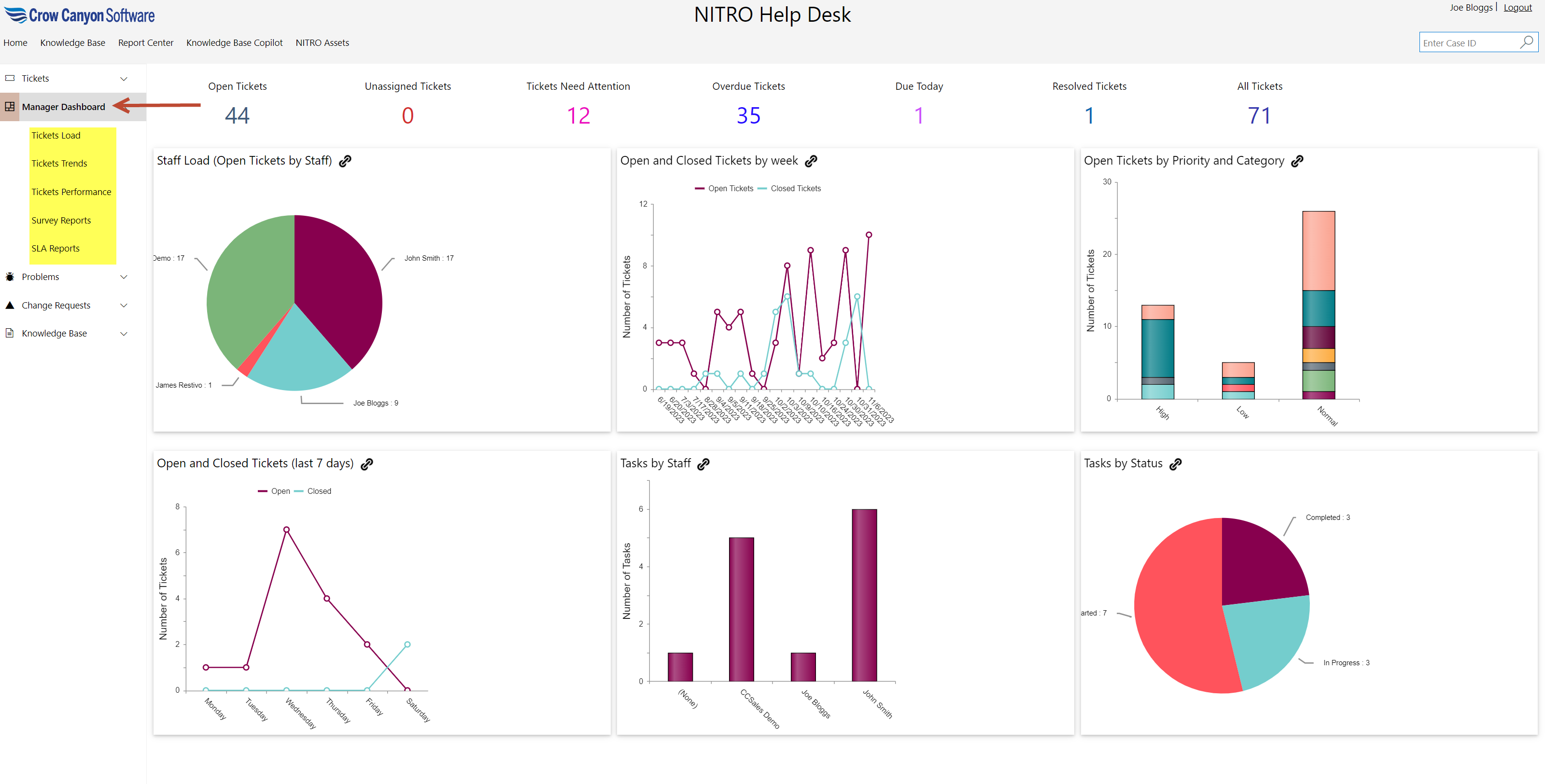
For more details on Manager dashboard, refer ‘Manager Dashboard’ section in ‘NITRO Helpdesk-Manager Guide’