Manager Dashboard can also access additional pages showing detailed reports
Change Requests Manager Dashboard page shows the below reports for problem
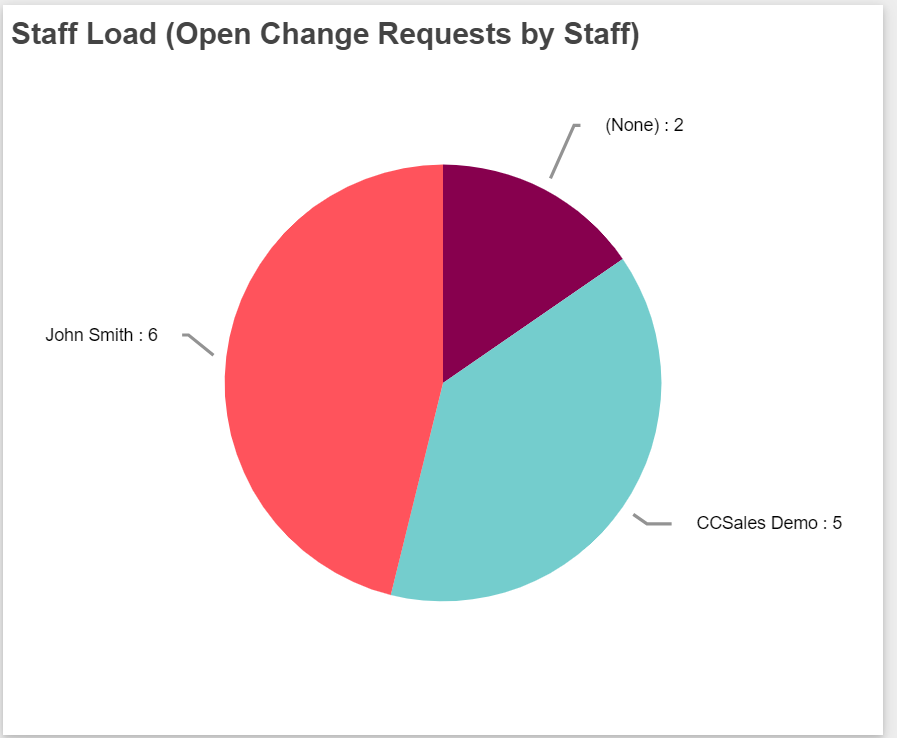
-Staff Load (Open Change Requests by Owner): This report shows all open change requests of owner along with type of change. As shown in report, John Smith has 6 open Change requests, CCSales Demo has 5 open change requests.
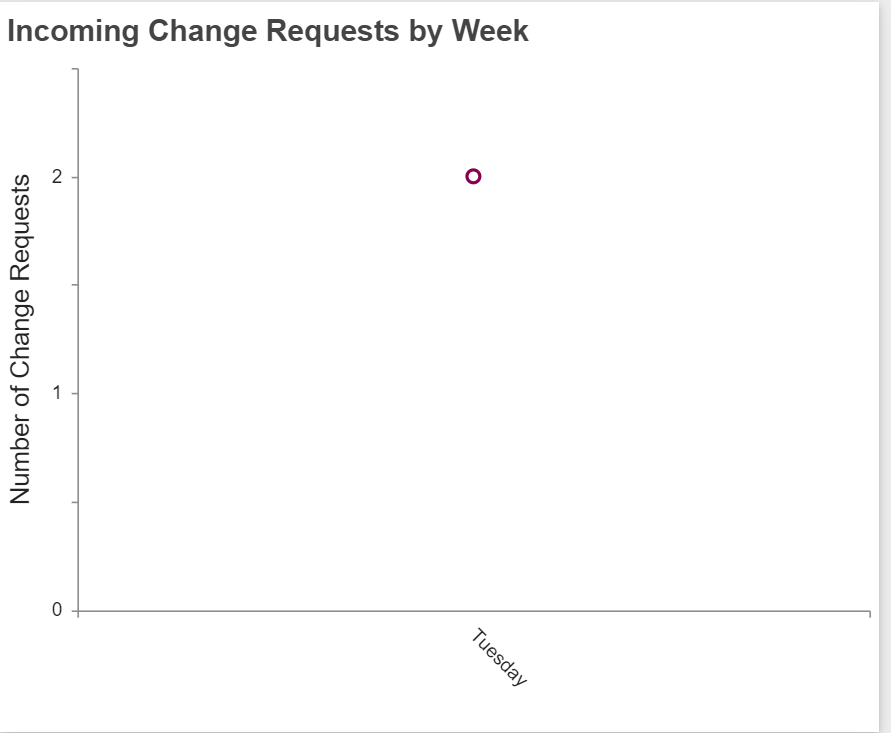
-Incoming Change Requests by week: This report shows all incoming change requests by week based on change requests created date.
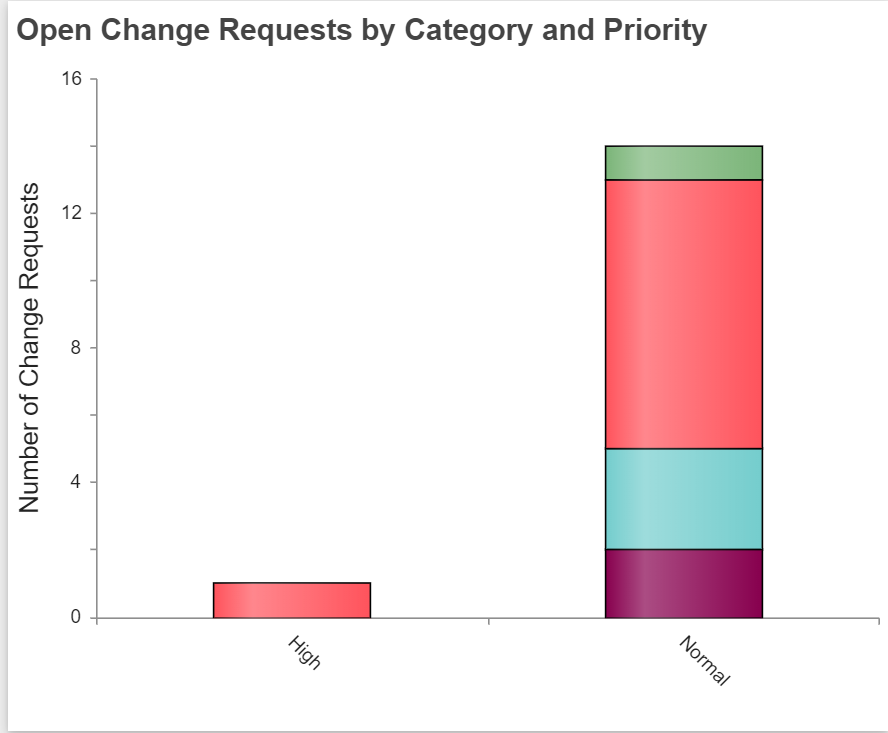
-Open Change Requests by Priority and Category: This report shows all open change requests based on their priority and type of change. As shown in report, there is 1 high priority change request of type ‘Application Change’ and so on.
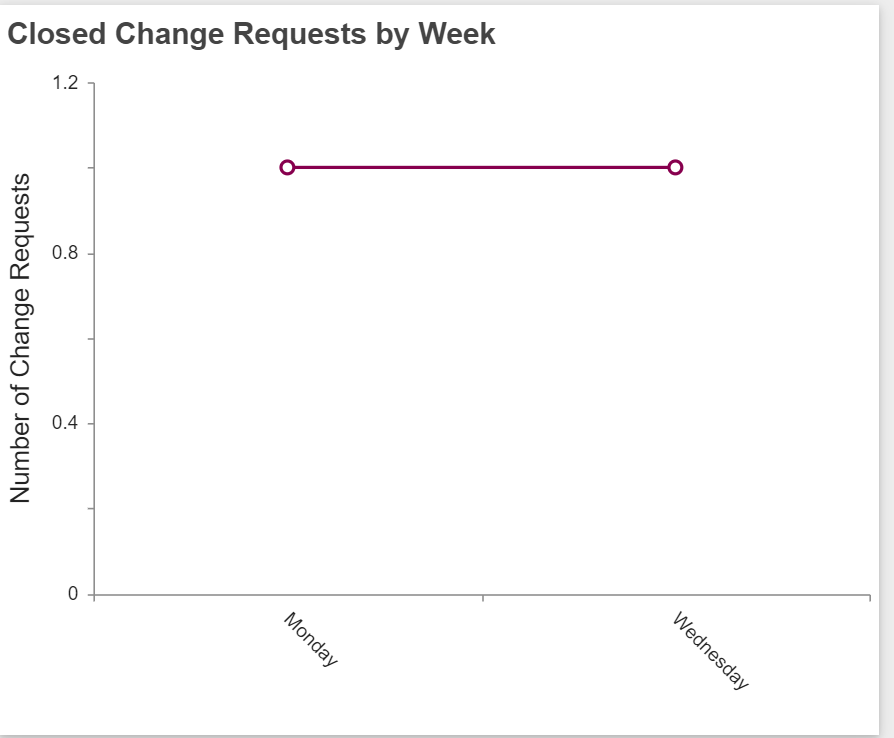
-Closed Change Requests by week: This report shows all closed change requests by week based on closed date.
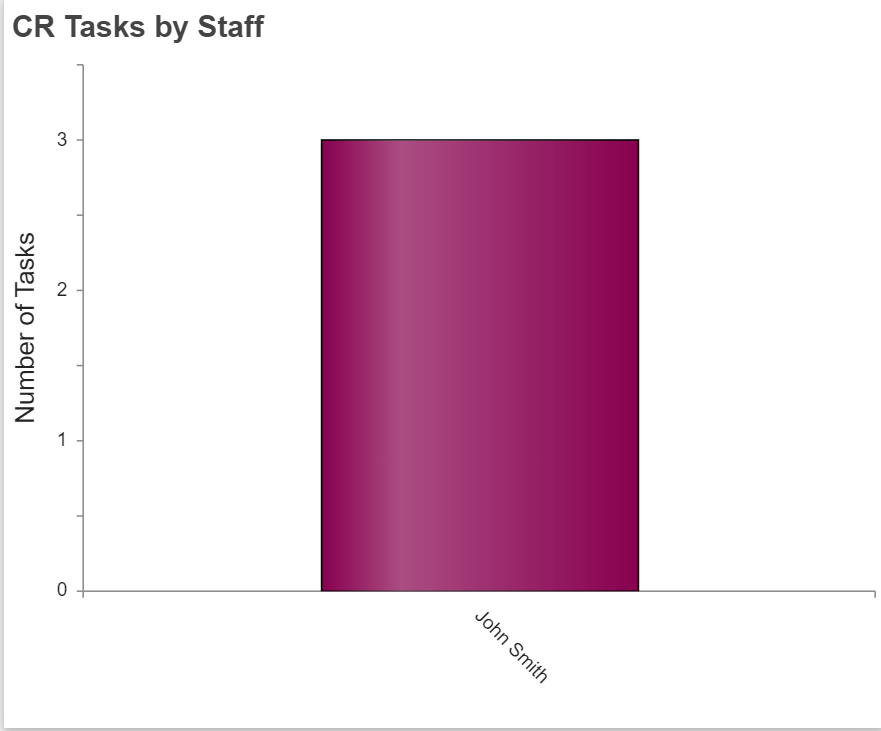
-CR Tasks by Staff: This report shows change request tasks of each assigned staff. As shown in report, number of change request tasks assigned to John Smith is 3.
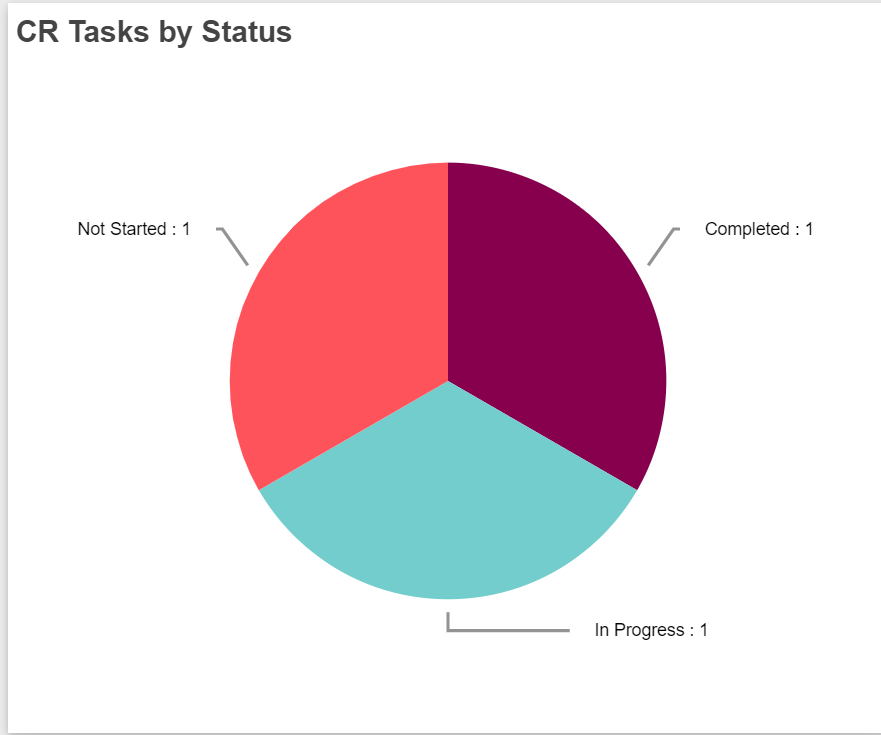
-CR Tasks by Status: This report shows all change request tasks based on status. As shown in report, 1 task is in ‘Not Started’ state, 1 task is in ‘Completed’ state and 1 task is in ‘In Progress’ state..