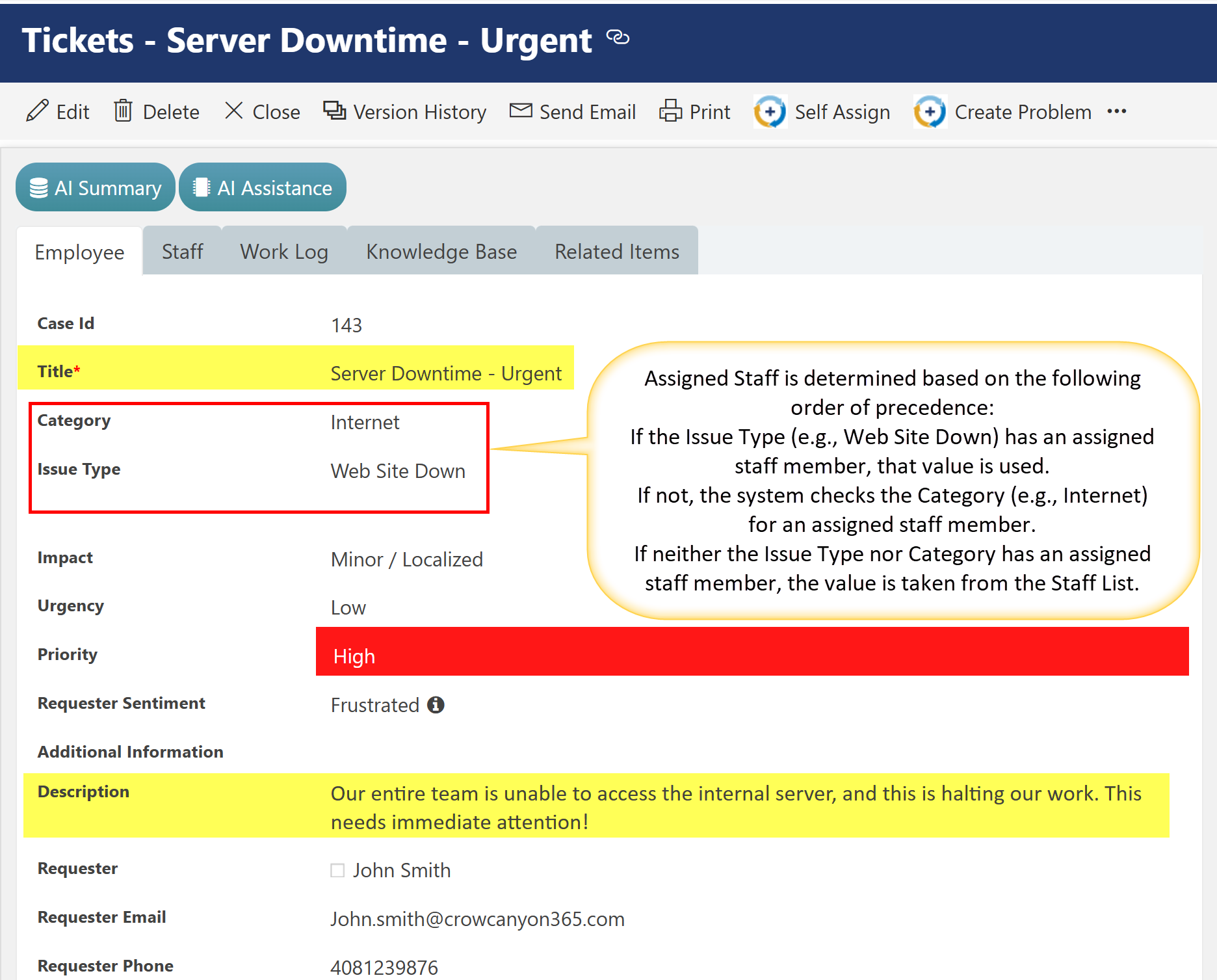
•A user submits a ticket with the subject: “Server Downtime - Urgent.”
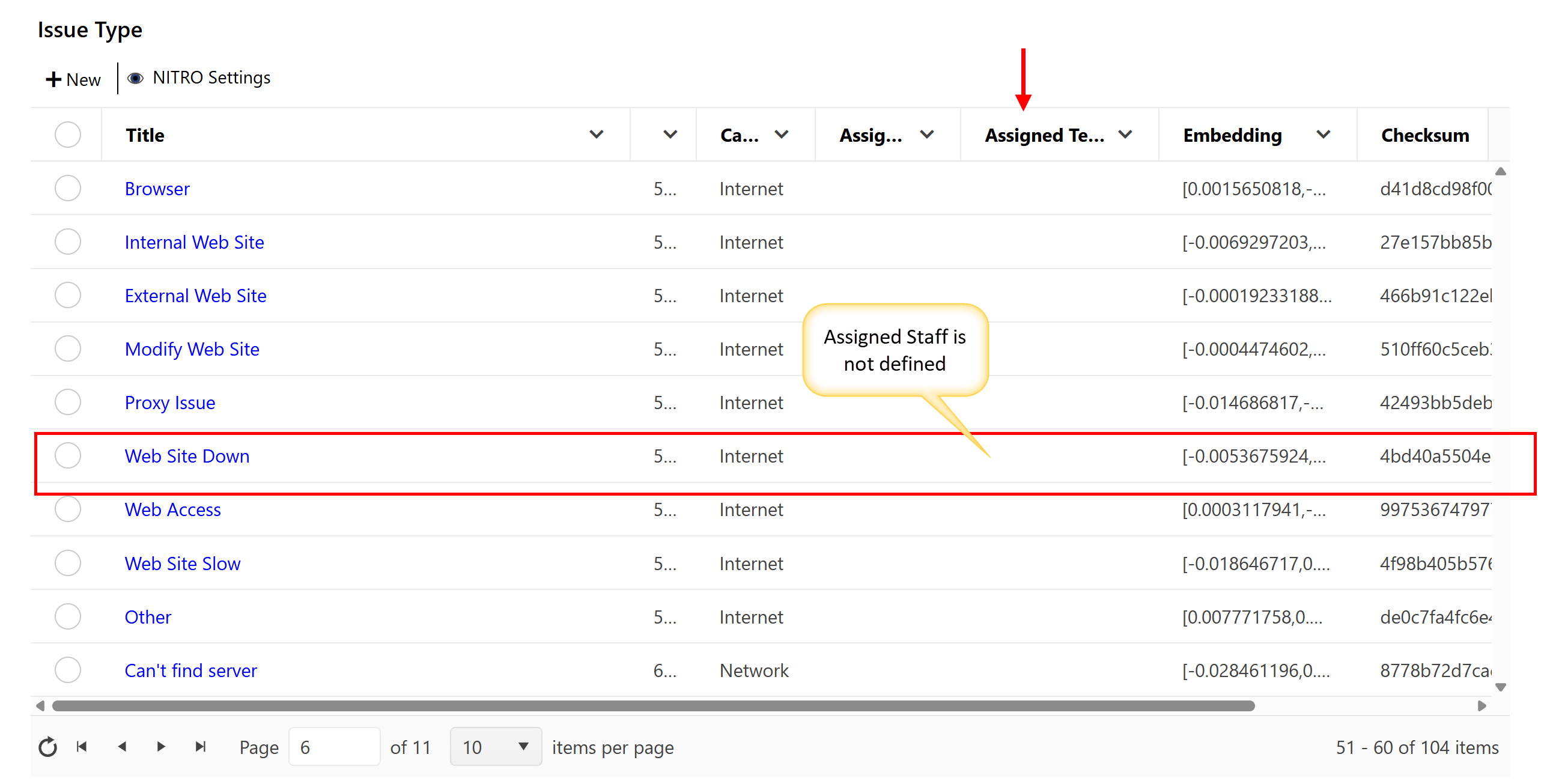
•The AI analyses the content and categorizes the ticket under Category: Internet and Issue Type: Web Site Down.
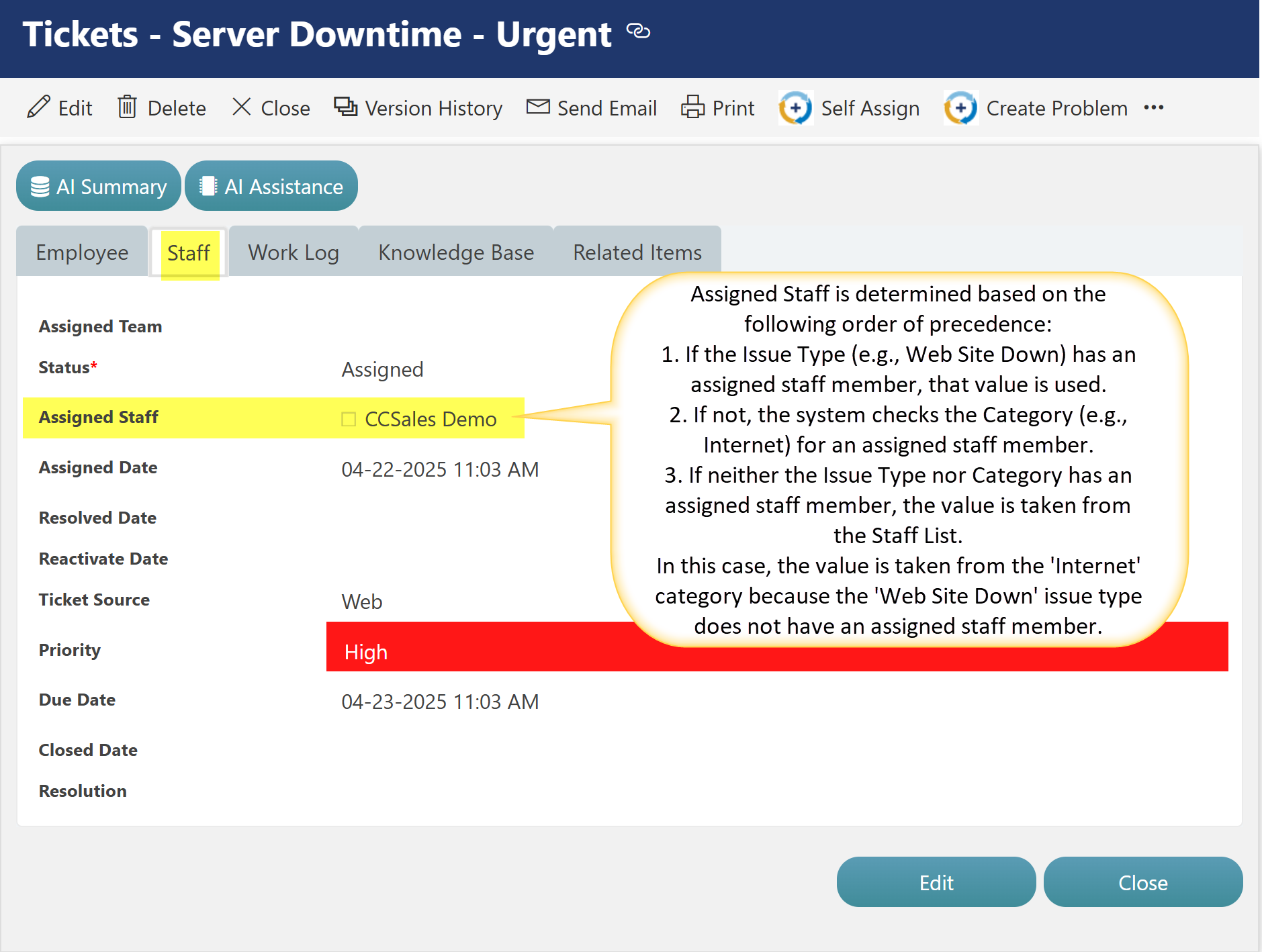
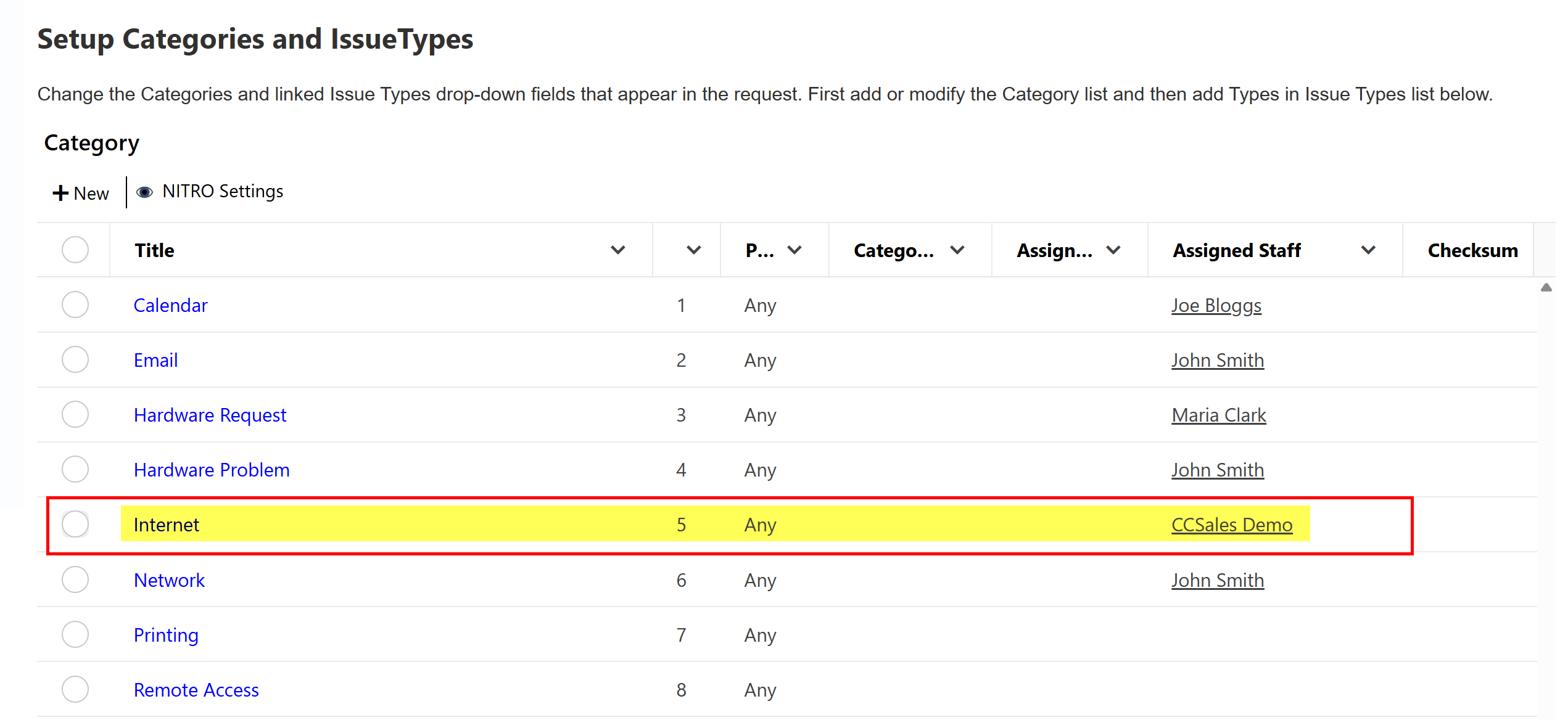
•According to the configured logic, since the selected Issue Type does not have an Assigned Staff value, the system checks the Internet category for an assigned staff member.
•The ticket is then automatically routed to CCSales Demo without any manual intervention.
Check Assigned Staff value in Category and Issue Type list
Go to Helpdesk site ->Administration in top link bar -> Categorization in left hand side
AI-Based Assignment for Assigned Staff
1.AI checks Issue Type first
When a ticket is categorized using AI, it first looks up the Assigned Staff value defined in the Issue Type list for the identified issue. If available, that staff member is automatically assigned.
2.If no Assigned Staff in Issue Type
AI will then check the Category list for the Assigned Staff value corresponding to the ticket’s categorized value. If found, it is used for assignment.
3.If both Issue Type and Category have no Assigned Staff
AI will refer to the Staff list and auto-assign based on configured rules or mappings in that list.
4.If no match in Staff list
The ticket will remain unassigned, and a staff member must be manually assigned by an agent or administrator.